| Topic | Quick Take |
|---|---|
| Main goal | Use a customer portal so people help themselves instead of calling. |
| Biggest benefit | Fewer repetitive support calls and emails, more time for high value work. |
| Biggest risk | Building a portal nobody uses because it is confusing or buried. |
| Key features | Account access, order tracking, payments, support tickets, knowledge base. |
| Success metric | Drop in basic how-to and “where is my order” calls, plus higher satisfaction. |
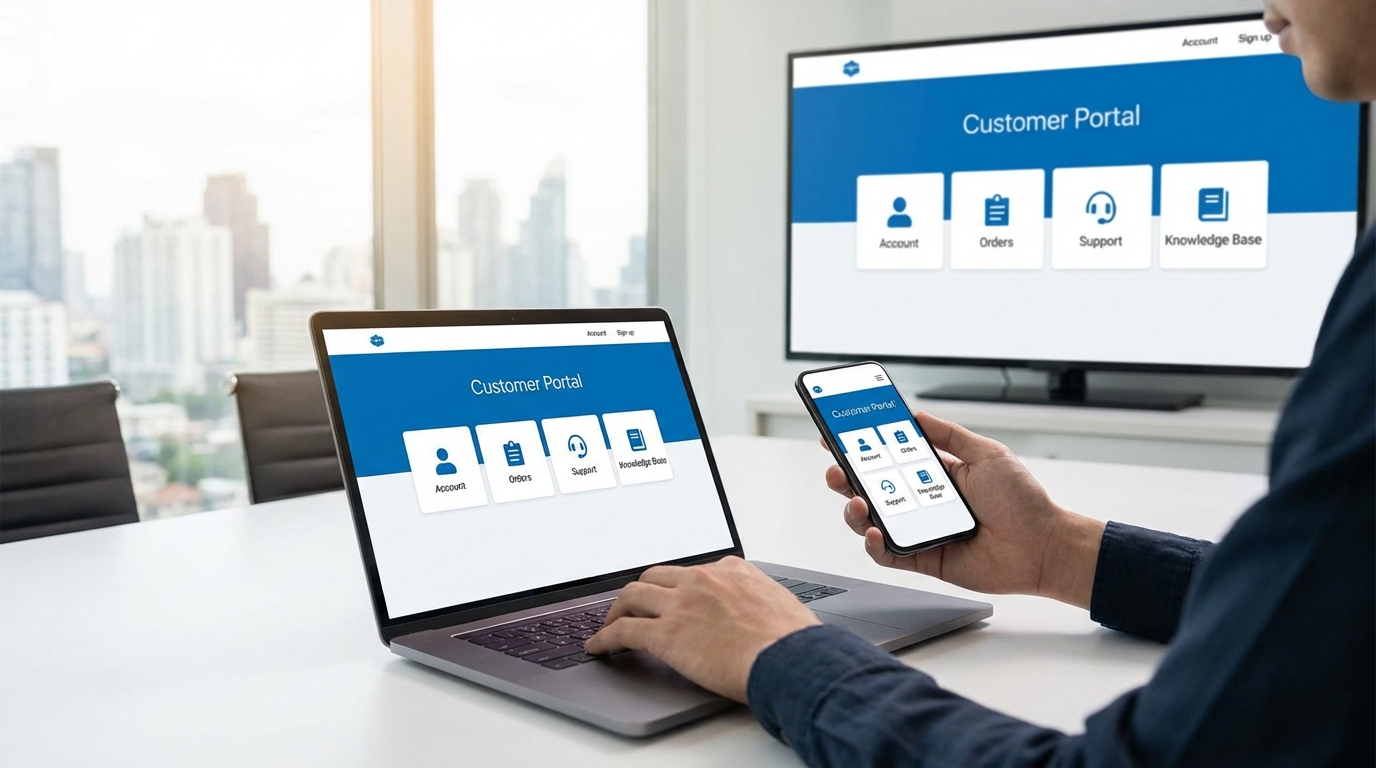
A customer portal is one of those things that looks like a tech project, but it is really a behavior project. You do not just want a shiny login page. You want your customers to think “I will check the portal” before they think “I will call.” That shift saves your team time, cuts costs, and often makes customers happier, if you do it right. If you do it badly, you just add another place for people to get stuck.
What a customer portal actually is (in practice)
Most people overcomplicate the idea.
A customer portal is just a password-protected area where your customers can see and do the things they keep asking you about.
For example:
– View and update their profile
– See orders, projects, or services
– Pay, download invoices, or update payment methods
– Submit and track support requests
– Read answers to common questions
That is it.
No magic. No secret trick.
Technically, you could run a “portal” from a shared Google Drive and a basic form. Not ideal, but the point is the function, not the software.
The key question is simple:
What are people calling about that they could easily do themselves, in seconds, if you gave them the right portal?
If you get that right, everything else is just details.
Why calls are rising and your team is tired
Let us look at why your phones (or support inbox) are so busy.
You probably see the same patterns:
– “Where is my order?”
– “Can you resend that invoice?”
– “How do I reset my password?”
– “What is the status of my project?”
– “Can you change my appointment?”
These questions are predictable. They repeat. They do not need one-on-one help every time.
You end up hiring more support staff, training them, then they spend half their day reading data from a screen that the customer could read themselves.
At the same time, expectations went up. People want:
– Instant answers
– 24/7 access
– Clear status, not guesses
A portal fits that behavior. People are already comfortable with logging in and clicking around. Banking apps, shipping apps, airline apps, SaaS tools. You are not training them on a new habit. You are just earning a place in a habit they already have.
How customer portals reduce calls in real life
Let us connect this to real business and daily work.
Self-service for the top 5 questions
Before you think about design or tools, list the top 5 call topics.
Not what you assume. What your data shows.
Pull 3 months of support tickets, emails, or call logs. Sort by topic. You will probably see something like:
– Order status
– Billing and invoices
– Login or password issues
– Simple “how do I” questions
– Changes to account or plan
Your portal should directly handle most of those.
If a topic is in your top 5 call reasons and your portal does not handle it, you are building the wrong portal.
Concrete actions:
– Let customers track status without calling
– Let them download invoices and receipts
– Let them change simple settings themselves
– Give them a clear path to the right article or video
This takes a big chunk of volume away from your phones.
24/7 answers without 24/7 staffing
Round-the-clock phone support is expensive.
A portal does not sleep. Customers in different time zones do not feel ignored. They just log in.
That does not just help at night. It also flattens peaks.
Think of Monday morning. People who had questions over the weekend finally call. Your queue blows up. A portal absorbs a lot of that. Many of those weekend questions already got answered.
From reactive support to proactive updates
A good portal also flips the pattern.
Instead of customers chasing you for updates, you put updates where they expect them.
You can:
– Show project milestones and dates
– Flag missing documents
– Add notes when things change
– Push messages they see as soon as they log in
This reduces “just checking in” calls that eat time and give no extra value.
Better calls, not just fewer calls
You do not just reduce volume. You change the mix.
When the portal handles basic stuff, your team spends more time on:
– Complex, nuanced issues
– Retention and relationship calls
– Growth conversations (upsells, cross-sells, referrals)
That is where human support really matters.
The goal is not to avoid human contact. The goal is to spend human contact where it counts.
The core features your portal really needs
You can build a portal with hundreds of features. You should not.
Think like a minimalist. Start with the features that actually replace calls.
1. Simple login and account access
If people cannot get in, nothing else matters.
Common mistakes:
– Login hidden in a tiny link in the footer
– Complex multi-step signup
– Password reset that fails or takes too long
Keep it basic:
– Clear “Login” button on your site
– Social or SSO if your audience expects it
– Fast password reset and email that actually arrives
– Clear message about how to get help if login fails
Every failed login becomes a call. Fix that early.
2. Dashboard that answers “what now?”
When they log in, the first screen should answer:
– Where am I in the process?
– What do I need to do next?
– What is waiting on the company?
Treat the dashboard like a home base, not a menu dump.
For example, show:
– Current order or project status
– Outstanding tasks or documents
– Recent messages or updates
– Quick links to common actions
If you ask “what are people calling about this week?” segments of your dashboard should match that.
3. Self-service account management
Anything that touches billing or basic profile info creates friction if it requires a call.
Your portal should let people:
– Update address, phone, contact preferences
– Change payment method and see next billing date
– View, download, and print invoices
– Cancel or pause services, if that fits your model
Yes, giving people the ability to cancel online can feel scary. Many businesses avoid it. They force a phone call.
That feels safe in the short term. It hurts long term trust.
Many customers stay because it feels fair and transparent. And even if they leave, they are more likely to come back.
4. Order, project, or service tracking
This is the biggest call reducer in many businesses.
People want to know “Where does this stand?” without waiting on hold.
You can show:
– Status (New, In progress, Shipped, Delivered, On hold)
– Dates (ordered, shipped, expected delivery)
– Responsible contact or manager
– Any blockers (missing info, unpaid invoice)
Technically, not every process fits into a neat status bar. That is fine. Even a simple text update like “We are waiting on X” is better than silence.
5. Support tickets and messaging
A good portal gives customers a clear way to:
– Submit a new issue or request
– Track the progress of each one
– Reply, add info, or share files
This replaces email threads that get lost and phone notes that never sync.
From your side, it creates a record. You can see patterns and improve.
For the customer, it gives control. They can see what is happening without dialing.
6. Knowledge base and how-to content
You probably answer the same “how do I” questions again and again.
Move those answers into a searchable knowledge base inside the portal.
Key tips:
– Write short, clear articles
– Use screenshots or short videos
– Name things like your customers name them
– Link related topics
You do not need hundreds of articles on day one. Start with 10 to 20 that match your top questions. Then add more as you see gaps.
Every answer you explain well once in writing saves dozens of calls over time.
Designing a portal people actually use
Let us talk about the experience, not the tech.
Many portals fail not because of software, but because customers ignore them.
Make the portal hard to miss
If you hide the portal, people will call.
To shift behavior, you have to direct traffic.
Concrete steps:
– Put “Login” in your main navigation, not just the footer
– Add portal links in your email footers and transactional emails
– Mention the portal in onboarding calls and sales calls
– Add it to your phone script: “The fastest way is through your portal at…”
You are not nagging. You are simply telling people the fastest route.
Use customer language, not internal language
Buttons that say “View SO-14367” mean nothing to a customer.
Buttons that say “View your order” or “Check your project” are clear.
Review every label and question in your portal.
Ask: “If a stranger saw this for the first time, would they know what it does?”
If the answer is “maybe” or “it depends,” rewrite it.
Show quick wins on first login
The first time someone logs in, they are testing you.
They are basically asking, “Is this worth my time instead of just calling again?”
So give them a win in seconds:
– Pre-fill their info
– Show a clear status update
– Show something they did not know before
– Make one thing easier than the phone
For example, if your most common call is “where is my order,” show that status front and center.
If you pass that first test, they are far more likely to log in again.
Make the phone path still available, just second choice
You do not need to hide your phone number.
You just need to make the portal the default.
For example:
– When someone calls, your IVR could say: “If you want order status, you can get faster answers by logging into your customer portal at…”
– Your support email auto-reply could suggest: “For common questions like order status or invoice copies, you can get instant answers in your portal.”
People who really need to talk to a human still will. That is fine. You are just nudging everyone else toward self-service.
Choosing a platform without overthinking it
The tech stack matters less than you think.
You do not win because you picked the perfect tool. You win because you shipped something people could use, then improved it.
Common platform paths
You have a few broad options:
1. Built-in portals from your current tools
Many CRMs, project management tools, and billing tools already include a customer portal module. You turn it on, configure it, and brand it.
2. Standalone portal software
Products focused just on portals. They connect to your existing systems through integrations.
3. Custom-built portals
Fully custom, built by your dev team or agency.
For most small and mid-size businesses, starting with built-in or standalone tools is enough.
How to pick without getting stuck
Here is a simple filter:
– Does it connect to your existing customer data with minimal effort?
– Can customers see their orders, invoices, or tickets without double entry?
– Can your team manage it without needing a developer every week?
– Is the login experience simple?
If you get “yes” on those, it is likely good enough to start.
You can always upgrade later. The real learning comes from actual usage, not planning sessions.
Rolling out a customer portal step by step
You do not need a big launch with a slide deck and a countdown clock.
Think of it as a phased rollout.
Step 1: Pick a call type and design for that
Start with one main call type you want to reduce.
Example:
– You sell physical products. Target “where is my order.”
– You run a service business. Target “what is my project status.”
– You run a SaaS. Target “billing and account changes.”
Design your first version of the portal around that.
Ask: “What is the fastest way someone could solve that issue without talking to us?”
Build that first.
Step 2: Involve a small customer group early
Invite a small group of customers to be your testers.
Call them. Walk them through login. Ask them to do a few tasks.
Watch where they:
– Hesitate
– Ask questions
– Click the wrong thing
Do not ask “Is this clear?” They will often just say yes.
Instead ask:
– “What would you expect this button to do?”
– “What do you think this message means?”
– “If you wanted to check your order, where would you click?”
Their behavior tells you what to fix.
Step 3: Train your team to guide people to the portal
Your support and sales team are your portal’s first advocates.
They should:
– Know what is inside the portal
– Know how to walk someone through login
– Mention the portal in conversations
Very simple script example:
“Next time you want to check status, you do not need to wait on hold. You can see it right away in your customer portal. Want me to walk you through logging in once so it is easy next time?”
This takes an extra minute at first. It saves many minutes later.
Step 4: Watch the data and the calls
After launch, track:
– Portal logins per day or week
– Pages or features used most
– Calls by topic over time
If portal logins are up, but call volume is flat, something is off.
Maybe:
– People log in but cannot find what they need
– The portal is not solving the right problems
– Your team keeps defaulting to “call us” instead of “use the portal”
Listen to call recordings. Notice when people say “I tried the portal, but…”
Those reasons are your product roadmap.
Step 5: Expand to more self-service features
Once one main use case works, add more.
Think of each new feature as a way to kill another batch of calls.
Examples:
– Add secure document uploads to stop “Can I email you this form?” calls
– Add appointment scheduling to cut “Can you reschedule me?” calls
– Add upgrade / downgrade options for plans
Do not ship everything at once. Add, test, refine.
Handling internal resistance to self-service
You might get pushback. From leadership, sales, or support.
Common fears:
– “People will feel like we are pushing them away.”
– “We will lose chances to sell more.”
– “Our customers are not tech-savvy.”
You can address these with clarity and data.
“Are we pushing people away?”
Self-service is not about avoiding people. It is about giving them choice.
Many customers prefer not to call for simple stuff. They see self-service as respect for their time.
You can reinforce this by:
– Keeping phone and chat available for complex stuff
– Making sure the portal has a personal touch (names, messages, clear contacts)
– Using human language, not cold system messages
“Will sales go down?”
Some teams worry that fewer calls means fewer chances to sell.
The fix is not to keep friction. The fix is to design growth paths in the portal.
Ideas:
– Show relevant upgrades or add-ons where they make sense
– Offer “talk to an expert” buttons in key places
– Add educational content that leads to more usage and deeper engagement
If your portal does a good job helping people, trust builds. That is what drives long term growth.
“Our customers are not tech-savvy”
Sometimes this is true for a segment of your audience. Most of the time, it is overstated.
Even people who claim they “hate tech” use messaging apps, online banking, or video calls.
The key is not high tech. It is clarity.
If you:
– Keep the design simple
– Use large buttons and clear text
– Avoid jargon
– Provide a support path inside the portal itself
Most people will manage fine.
You can also start with a segment that is more comfortable with tech and expand later.
Using your portal to grow the business, not just cut costs
Reducing calls and costs is nice. But you can go beyond that.
A portal can support business and life growth on both sides.
Make your team happier and more focused
Support work filled with repetitive questions drains people.
When you remove the repetitive part, your team:
– Deals with more interesting problems
– Has time for proactive outreach
– Can breathe a little during the day
That matters for retention and culture.
You also reduce the mental load of “always reacting.” That frees up headspace for creative ideas to serve customers better.
Increase customer stickiness
When your portal becomes part of your customer’s routine, you are harder to replace.
Think of the tools you log into weekly. Switching away would be annoying, not just risky.
If your portal is:
– Reliable
– Clear
– Helpful
Customers feel anchored. They know where to go to manage your part of their life or business.
They are less likely to churn just to save a small amount of money. The friction of leaving grows, but in a fair way, not a trick.
Collect better feedback and insight
Every click, search, and ticket in your portal tells a story.
For example:
– Common searches that return no results show where you need content or features
– Repeated visits to billing pages might signal confusion
– Drop-off on certain pages might show friction
You can use that to:
– Improve your product or service
– Fix confusing policies
– Create new offers where there is clear demand
This is the type of insight that is hard to get from phone calls alone, because calls are messy and often not logged in detail.
Common mistakes that keep calls high
Let us walk through traps that keep you busy on the phone, even with a portal in place.
1. Treating the portal as an afterthought
If your sales pitch, onboarding, and emails never mention the portal, people will not use it.
You have to decide:
“Is this central to how we serve customers, or is it a side project?”
If it is central, then:
– Talk about it early in the relationship
– Bake it into your processes
– Measure its impact in your reports
2. Designing for your org chart, not customer journeys
Many portals mirror internal departments:
– “Billing”
– “Operations”
– “Customer service”
Customers do not think that way. They think in tasks:
– “Pay my bill”
– “Check my order”
– “Change my plan”
Shape your navigation around tasks, not teams.
If someone needs to change their plan, they should not have to know which department handles it.
3. Hiding contact options too much
There is a line between encouraging self-service and trapping customers.
If you bury your phone number or email behind 6 clicks, people feel boxed in.
They start to distrust you. That hurts more than any call volume.
Better pattern:
– Offer self-service up front
– Offer human help as a clear second option
– Tell people when self-service is faster and when support is better
Customers appreciate honesty.
4. Ignoring mobile experience
People often try to handle problems on their phone:
– Waiting in line
– On the train
– Between meetings
If your portal is not mobile friendly, they give up and call.
Check:
– Do buttons feel easy to tap?
– Is text readable without zooming?
– Do forms work on smaller screens?
This is not about fancy design. It is about basic usability.
5. Not updating content
A portal with old prices, old product names, or outdated instructions loses trust fast.
People get confused. Then they do the safe thing: call.
Set a simple content review rhythm:
– Once a month, scan your top pages
– Update screenshots if your product changed
– Remove or revise anything that no longer matches reality
It does not have to be perfect. It just has to be current enough that people do not feel misled.
Building a portal that supports both business and life growth
Many business owners see support as a cost center. Something to make cheaper.
That mindset leads to portals that feel cold. Customers feel like you are pushing them away.
You can take a different angle.
Look at your portal as:
– A tool that gives you back time and focus
– A space where customers feel more in control
– A bridge that keeps you connected between the big conversations
When customers feel in control, they are calmer. They make better decisions. They stay longer.
When your team is not buried in repetitive calls, they have space to grow, learn, and think. That spills into better strategy, better service, and yes, better revenue.
Your portal is not just a website section. It is a small part of how your business relates to the lives of your customers.
Treat it with that level of care.
Practical next steps for you
Let us make this concrete so you can move forward.
Step 1: Pull 3 months of support data
Do this soon.
List:
– Top 10 reasons people contacted you
– Volume for each reason
– Which ones are truly repetitive and simple
Circle the 2 or 3 you think a portal could handle well.
Step 2: Sketch your first simple portal flow
On paper or a whiteboard, map:
– Login
– First screen after login
– Path to solve each of the circled issues
Keep it simple. You are not designing a full product. You are designing the shortest path from problem to solution.
Step 3: Decide on your platform path
Talk to your team or vendors.
Questions to ask:
– Do we already own tools with a portal feature we are not using?
– If not, which external tool can we test in the next 30 days?
– Who owns the initial setup?
Pick something you can actually launch, not something perfect on a 12 month roadmap.
Step 4: Pick 10 to 20 customers for a pilot
Choose a mix:
– Tech-comfortable
– Less tech-comfortable
– New and long-term
Invite them personally. Offer to guide them.
Tell them you want the portal to save them time. Then listen to their feedback and adjust.
Step 5: Set a clear, simple success target
For example:
– “Reduce ‘where is my order’ calls by 30 percent in 90 days”
– “Get 50 percent of active customers logging into the portal at least once a month”
Share this target with your team so everyone knows what you are aiming for.
Then ship the first version, watch what happens, and keep improving in cycles.
You do not need a perfect portal to reduce calls.
You need a useful one, visible one, and a team that keeps nudging customers toward it.