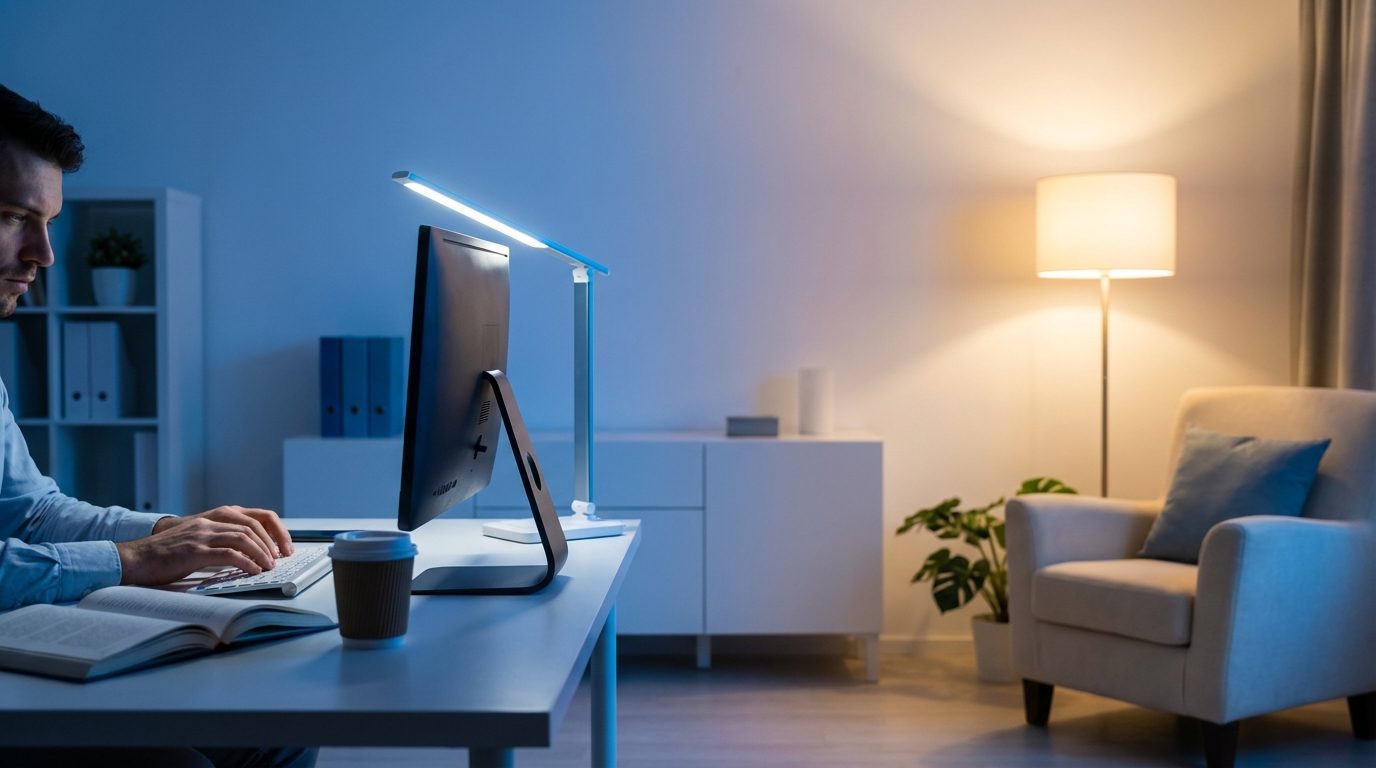
| LED Color Temperature | Kelvin (K) | Effect on Focus | Best For |
|---|---|---|---|
| Warm White | 2700K – 3000K | Relaxed, lower alertness | Evenings, reading, wind down |
| Neutral White | 3500K – 4100K | Balanced focus and comfort | Home office, meetings, study |
| Cool White / Daylight | 5000K – 6500K | High alertness, strong focus | Deep work, design, problem solving |
| Very Cool / “Blue-ish” | 6500K+ | Intense, can feel harsh over time | Short, high-focus sprints only |
Most people talk about productivity like it is all about habits, tools, and motivation. You rarely hear anyone say, “Your light is wrong.” Yet your lighting hits your brain before your calendar, your coffee, or your to-do list does. If the color temperature of your LEDs does not match the type of work you do, you are quietly fighting your own biology. Fix the light, and focus often gets easier without you trying harder.
What “color temperature” actually means in your office and home
Color temperature sounds like jargon, but you deal with it every time you switch on a light or open the blinds.
Warm LEDs (around 2700K to 3000K) look like sunset or old-school incandescent bulbs. Neutral white (around 3500K to 4100K) looks like late morning. Cool daylight LEDs (5000K to 6500K) resemble bright midday sun.
Technically, color temperature is a physics term about how a “black body” glows when it is heated. You do not need the physics. What matters is this:
Warm light tells your body, “Relax.”
Neutral light tells your body, “Stay steady.”
Cool light tells your body, “Wake up and focus.”
When you choose an LED, you are sending a signal to your brain. That signal shows up in focus, mental stamina, and how drained you feel at the end of the day.
How LED color temperature affects your brain and focus
You are not imagining it when you feel sleepy in a dim, yellow room and more awake in a bright, crisp one. Your brain listens to light. Your hormones follow.
The biology behind focus and light
Your eyes have special cells that respond to blue-rich light. These cells talk straight to parts of your brain that control your internal clock and alertness.
Cooler light (higher Kelvin):
– Suppresses melatonin more.
– Boosts cortisol at the right time of day.
– Improves reaction time and alertness in many people.
Warmer light (lower Kelvin):
– Lets melatonin rise more.
– Signals “evening mood” to your system.
– Helps you wind down.
In plain terms:
Cooler LEDs push you toward focus. Warmer LEDs pull you toward rest.
This is not perfect for every single person in every context. Some people feel tense under cool light, especially if it is harsh, direct, or too bright. Others feel sleepy under warm light even at noon.
Still, there is a clear pattern in research and in real offices: cooler white tends to support focus-heavy work, while warmer white supports relaxation and creative reflection.
Color temperature and different kinds of work
Not all work is the same. Color temperature does not affect a long spreadsheet the same way it affects a deep conversation.
Here is a practical way to look at it:
– Detail work: coding, editing, bookkeeping, legal review.
– Concept work: strategy planning, brainstorming, vision work.
– Human work: coaching, sales calls, negotiations.
– Recovery work: journaling, thinking, reflection.
For each type, color temperature changes how you feel and perform.
Warm LEDs (2700K – 3000K): good for rest, risky for focus
Warm white LEDs feel cozy. There is a reason bedrooms, lounges, and restaurants use them. Your brain associates this kind of light with late afternoon, sunset, and evening.
How warm light affects your focus
Under warm light, you tend to:
– Blink more slowly.
– Feel less visual tension.
– Drift more into big picture thinking.
This can be positive if you want reflective thinking. It is not ideal for relentless focus on details.
You might notice:
– Reading feels pleasant, but your mind wanders.
– You get comfortable and lose track of time.
– After a while, you feel like lying down, not launching a new product.
If your home office uses only warm 2700K bulbs, you might think you have a motivation problem. In many cases, you just have “3 p.m. lounge lighting” at 10 in the morning.
When warm LEDs help your work and life
Warm light is not “bad.” It simply suits different moments.
It fits:
– Late-night reading without wrecking your sleep.
– End-of-day review of your day and your goals.
– Deep, personal conversations where you want openness, not intensity.
– Creative doodling, journaling, idea sketching, where you are not chasing a tight deadline.
One useful pattern:
Use warm light when you want depth of thought, not speed of thought.
Warm light supports reflection and emotional connection. It just does not push you into a fast “get this done now” mode.
Neutral white LEDs (3500K – 4100K): your “default” focus zone
Neutral white is often the sweet spot for most business tasks. It does not look like a cafe. It does not look like a hospital. It lives in the middle.
Why neutral white works for daily focus
Neutral LEDs give you enough blue light to stay alert, without the stark, icy feel of bright daylight LEDs. In many offices that care about comfort, you will see bulbs in this range.
Under neutral light, people often report:
– Less eye strain than under very cool light.
– Better sustained focus than under warm light.
– Fewer headaches compared to harsh overhead “daylight” panels.
From a productivity angle, this temperature range is a safe base for:
– Home offices.
– Team meeting rooms.
– Shared coworking spaces.
Neutral white tells your brain, “This is daytime, you should be awake,” without shouting at you.
Best tasks for neutral white
Neutral light works well for:
– Writing content, emails, proposals.
– Video calls with clients or your team.
– Planning your week, reviewing metrics, setting priorities.
– Moderate design work and presentations.
If you want one color temperature for most of your work, you usually pick something in the 3500K to 4100K band.
You might still want a second, cooler option for intense sessions, which we will cover shortly.
Cool white / daylight LEDs (5000K – 6500K): when you want serious focus
Cool white LEDs look like strong midday daylight. They have more blue content, which affects how awake you feel.
How cool light changes your focus and energy
Under cooler light, assuming the brightness is set well, many people notice:
– Faster reaction time.
– Stronger sense of alertness.
– Clearer visual detail.
There is research that connects cooler white light with improved test performance, faster reading, and higher sustained attention, especially in the earlier part of the day.
So if you are trying to:
– Code a tough feature.
– Build a financial model.
– Design a critical presentation.
– Edit long content with lots of details.
Cool daylight LEDs can give you an edge.
Think of cool light as caffeine for your eyes.
Like caffeine, too much or at the wrong time can hurt sleep and even mood. Used with intention, it helps you lock in.
When cooler LEDs can backfire
Cool light is not a magic bullet.
If you blast a small room with 6500K light at high brightness:
– Your eyes can feel dry and strained.
– Headaches can show up.
– You might feel wired, not focused.
This is more likely if the fixtures are poorly diffused or if the walls are stark white and reflective. Many people confuse “harsh” with “cool,” when the real problem is glare.
Another pitfall is late-night work. Strong blue-rich light in the evening can delay melatonin release. That can push your sleep later and make the next day harder. You get stuck in a cycle of bright light late, short sleep, then more coffee and light to cope.
So you want:
– High Kelvin and higher brightness in your peak working hours.
– Lower Kelvin and lower brightness as you move toward evening.
Very cool LEDs (6500K+): niche tool for short bursts
LEDs above 6500K start to look almost bluish. Some people use these in garages, studios, and certain commercial spaces.
For focus, these can work for very short, high-intensity sprints:
– Last-minute deadlines.
– Short product assembly or inspection tasks.
– Very precise manual work in short bursts.
For most office or home settings, this color is too aggressive for long sessions. It can feel clinical and can push your nervous system into a stressed mode, especially late in the day.
If you use these, keep them:
– Controlled in brightness.
– Limited to specific zones, not the whole room.
Color temperature, brightness, and contrast: why you need all three
Color temperature is one lever. Brightness is another. Contrast is a third. They interact.
You can have the “right” color temperature and still feel tired if:
– The light is not bright enough.
– The light is far too bright.
– There are sharp contrasts between your screen and the room.
How bright should your workspace be
Research on workspaces often points to ranges around 300 to 500 lux for normal office tasks, and higher for detail work. You do not need a lux meter to get this roughly right.
Simple checks:
– If your screen looks like a glowing rectangle in a dim cave, the room is too dark.
– If the screen looks dull and washed out, the room is probably too bright or has glare.
A rough rule:
Aim for room brightness that makes your monitor feel like “part of the room,” not the only light source.
Once brightness is decent, color temperature has a clearer effect. If brightness is way off, your brain gets tired no matter what color you choose.
Contrast and glare: quiet killers of focus
High Kelvin light that reflects off a shiny desk can do more damage to your focus than a small color mismatch.
You want:
– Diffused light, not harsh points of light.
– No direct LED bulbs in your line of sight.
– Light spread across walls and ceiling, not only from one spot.
Soft, indirect cool light often beats a single cold spotlight in your eyes.
Designing your workspace for better focus with LEDs
Think of your workspace like a lighting “stack.” You do not need one perfect bulb. You want layers that you can control based on what you are doing.
Layer 1: general overhead lighting
This is the base layer. It sets the tone for the whole room.
For most business-focused rooms:
– Color temperature: 3500K to 4100K.
– Type: diffused fixtures or LED panels with a soft cover.
– Brightness: enough that the room feels like daytime.
If you work from home, avoid mixing very warm overhead lights with very cool desk lamps. That can create a weird mix that feels distracting. Pick one base range.
Layer 2: task lighting where you actually work
Your desk or workbench needs a more direct, controllable light.
This is where cool white or adjustable color temperature helps.
A good task light usually has:
– Adjustable arm or neck.
– Adjustable brightness.
– Adjustable color temperature (often from 2700K to 6500K).
Place it so that:
– The light source is not directly in your eyes.
– It lights the work surface evenly.
– Reflections on your screen are minimal.
For focused work:
– Set this light to 5000K to 6500K.
– Increase brightness enough that the desk is clearly brighter than the surrounding room, but not blinding.
For lighter work or calls:
– Dial back to 3500K to 4100K.
– Reduce brightness slightly.
Layer 3: accent and background lighting
Accent lighting shapes your mood and the perceived depth of your space. It sounds cosmetic, but it matters for how long you can work comfortably.
Use warm or neutral LEDs for:
– Wall wash lights.
– Shelf lighting.
– Floor lamps behind you or to the side.
These give a sense of comfort without directly hitting your eyes. Then your main focus comes from your task lights.
This layering lets you do something like:
– Warm accent lights on.
– Neutral overhead.
– Cool task light at your desk.
You get focus on your work area while the rest of the room feels calm, not like a lab.
Time of day: changing color temperature as you move through the day
Your internal clock likes regular light patterns. That clock affects your focus, appetite, and stress levels.
Your LED setup can nudge that clock in a healthier direction.
Morning: ramp up to cooler light
When you start work:
– Start with neutral light around 3500K to 4100K.
– Increase brightness over the first 30 to 60 minutes.
If you jump from near-dark to piercing daylight at 6500K, you can feel shocked, not energized.
After you are fully awake, bring your task lighting closer to 5000K or a bit higher. This is where you schedule deep-focus work if your schedule allows it.
Midday and early afternoon: keep cool for deep work
From late morning to mid-afternoon, your brain often has its peak capacity for tough work.
This is when cooler white LEDs work best:
– Task lights: 5000K to 6500K.
– Overhead: neutral to cool.
During this time, try to eliminate warm, cozy lamps. They signal “relax” and can pull you toward distraction, especially after lunch.
Late afternoon to evening: drift back toward warm
As you shift out of deep focus:
– Bring color temperature down toward 3500K or lower.
– Reduce overall brightness gradually.
Move remaining work to:
– Planning the next day.
– Admin tasks.
– Light reading.
By the time you are 2 or 3 hours away from sleep, aim for mostly warm light (2700K to 3000K) at low to moderate brightness. You do not need to chase perfect “sleep hygiene,” but this pattern makes focus the next day easier.
Business use case: lighting design for real work scenarios
Let us walk through some common scenarios you might face as a business owner or professional and tie color temperature choices directly to outcomes.
Scenario 1: founder working from a spare bedroom
You run your business from a small room that used to be a guest bedroom. It has a ceiling fixture with 2700K bulbs and a random lamp in the corner.
What happens:
– Mornings feel slow, even if you slept.
– Afternoons drift away with low-grade fatigue.
– You assume you lack discipline.
Simple upgrade path:
1. Replace ceiling bulbs with neutral white LEDs (3500K to 4100K).
2. Add a desk lamp with adjustable color temperature (2700K to 6500K).
3. Use:
– 5000K to 6500K at the desk for hard work blocks.
– 3500K to 4100K for calls and lighter tasks.
– 2700K in the evening for wind-down.
Over a week or two, you might notice:
– Less temptation to scroll during work blocks.
– Fewer mid-afternoon energy crashes.
– Easier transitions into evening and sleep.
The work did not get easier. Your environment stopped fighting you.
Scenario 2: small team office with mixed lighting
You have a small office. Half the room has cool white panels at 5000K. The other half uses warm floor lamps. People complain about headaches. Others say they feel sleepy.
This mismatch creates:
– Visual tension as you move between zones.
– Uneven mood across the team.
Lighting fix:
1. Standardize overhead lighting to neutral white (around 4000K).
2. Add task lights at 5000K+ for individuals who do heavy detail work.
3. Keep one or two warm lamps in relaxation or break areas only, not at desks.
Now your office has a clear pattern:
– Work zones: neutral to cool.
– Break zones: warm.
The light guides behavior without any poster on the wall saying “Focus here.”
Scenario 3: coach or consultant on video calls all day
Your work is conversations. You need to look awake on camera and also stay focused with each client.
Color temperature here affects both how you feel and how you appear.
Practical setup:
– Key light (in front of you, off to the side): neutral to cool, around 4000K to 5000K.
– Background lights: warm, around 2700K to 3000K.
This does three things:
1. Keeps you alert with a slightly cooler key light.
2. Makes you look fresh and clear on camera.
3. Uses warm background light to create depth and a calm feel for clients.
On long days, you can drop your key light closer to neutral later in the afternoon to reduce fatigue.
Common lighting mistakes that quietly kill focus
Most people who struggle with focus at work repeat a few standard lighting mistakes.
Mistake 1: only one light source in the room
A single overhead bulb or a single desk lamp creates harsh shadows and contrast. Your eyes work harder, even if the color temperature is correct.
Better pattern:
– Base overhead light at neutral.
– Task light at neutral to cool.
– At least one softer accent or wall light.
The goal is smooth gradients of light, not hard pools of brightness.
Mistake 2: “warm equals cozy, so let us use it everywhere”
Warm light in a living room is great. Warm light as the primary light for your workday, from early morning to evening, often leads to:
– Sleepy mornings.
– Low motivation.
– Blurred line between work and rest.
Keep most warm light for after your main work period. For your business hours, neutral or cool should do the heavy lifting.
Mistake 3: ignoring screens when choosing color temperature
Your monitors and phones glow at color temperatures often closer to daylight by default, unless you use “night” modes.
If the room around your screen is much warmer and dimmer, your eyes keep adapting back and forth between two very different light environments.
You are better off:
– Matching your room lighting closer to the screen temperature during the day.
– Lowering both screen and room color temperature and brightness in the evening.
This sync helps your eyes relax and your focus last longer.
How to test and dial in your own perfect lighting
You do not have to guess. You can run small experiments in your own space. Treat it like a split test for your brain.
Step 1: get at least one adjustable LED lamp
Look for:
– Adjustable brightness.
– Adjustable color temperature (often listed as 2700K to 6500K).
Place it near your main working area.
Keep your existing overhead lighting for now. You want to feel the difference this one change makes.
Step 2: run 3-day cycles with different temperatures
For three days, do your main work blocks with:
– Warm / 3000K.
– Next three days with neutral / around 4000K.
– Next three days with cool / around 5500K to 6000K.
Keep other variables as stable as you reasonably can:
– Same start time for deep work.
– Similar tasks if possible.
– Similar sleep schedule.
During each block, after your main work session, jot down:
– How quickly you got into focus (1 to 10).
– How long you stayed focused without getting restless.
– How drained or energized you felt afterwards.
You will see patterns. Maybe you discover that neutral gives you steady focus, and cool gives you peak focus but more fatigue. Or you find that warm is fine for you in the morning but wrecks your afternoon.
Step 3: lock in a “default plus boost” setup
Once you see what works:
– Pick one color range as your baseline for most of the day.
– Use a cooler setting as a “focus boost” for 60 to 120 minute blocks of deep work.
For example:
– Baseline: overhead at 4000K, desk lamp at 4000K.
– Deep work: desk lamp at 5500K, brightness higher, for 90 minutes.
Then, come back down to your baseline. This rotation protects you from light fatigue while getting the benefits of cooler light when you need it.
How lighting design supports both business growth and personal growth
Lighting might feel like a small technical topic. It touches much bigger themes in your business and your life.
When you match color temperature to your type of work, your time blocks feel different:
– Deep work blocks feel sharper and more rewarding.
– Meetings feel less draining.
– Evenings feel more like true rest, not just “laptop time on the couch.”
Over weeks and months, this affects:
– Output: you produce more meaningful work in fewer hours.
– Quality: you catch more mistakes and polish your ideas better.
– Mood: you move from constant low-grade fatigue toward steady energy.
You are not changing who you are. You are changing the light that your brain has to work under all day.
If your environment nudges you toward focus, you spend less willpower forcing yourself to focus.
Color temperature is not a magic fix. It is one lever. But it is a lever you control once, and then you benefit from it every single day you flip the switch.
Treat your lighting like part of your business system and your personal growth system. The LEDs in your ceiling and on your desk are not just hardware. They are quiet partners in your focus, your decisions, and the results you create.