| Desk Strategy | Best For | Main Benefit | Main Risk |
|---|---|---|---|
| Assigned desks | Teams in office 3+ days/week | Stability and clear ownership | Wasted space on remote days |
| Hot desking (first come) | Small, flexible teams | High space usage | Desk anxiety and chaos |
| Desk hoteling (book in advance) | Hybrid teams with set office days | Predictable capacity and planning | More admin and tech setup |
| Team zones (pods) | Cross‑functional collaboration | Stronger team connection | Unused zones on remote days |
| Activity‑based seating | Project and creative work | Better focus and meeting flow | Confusion without clear rules |
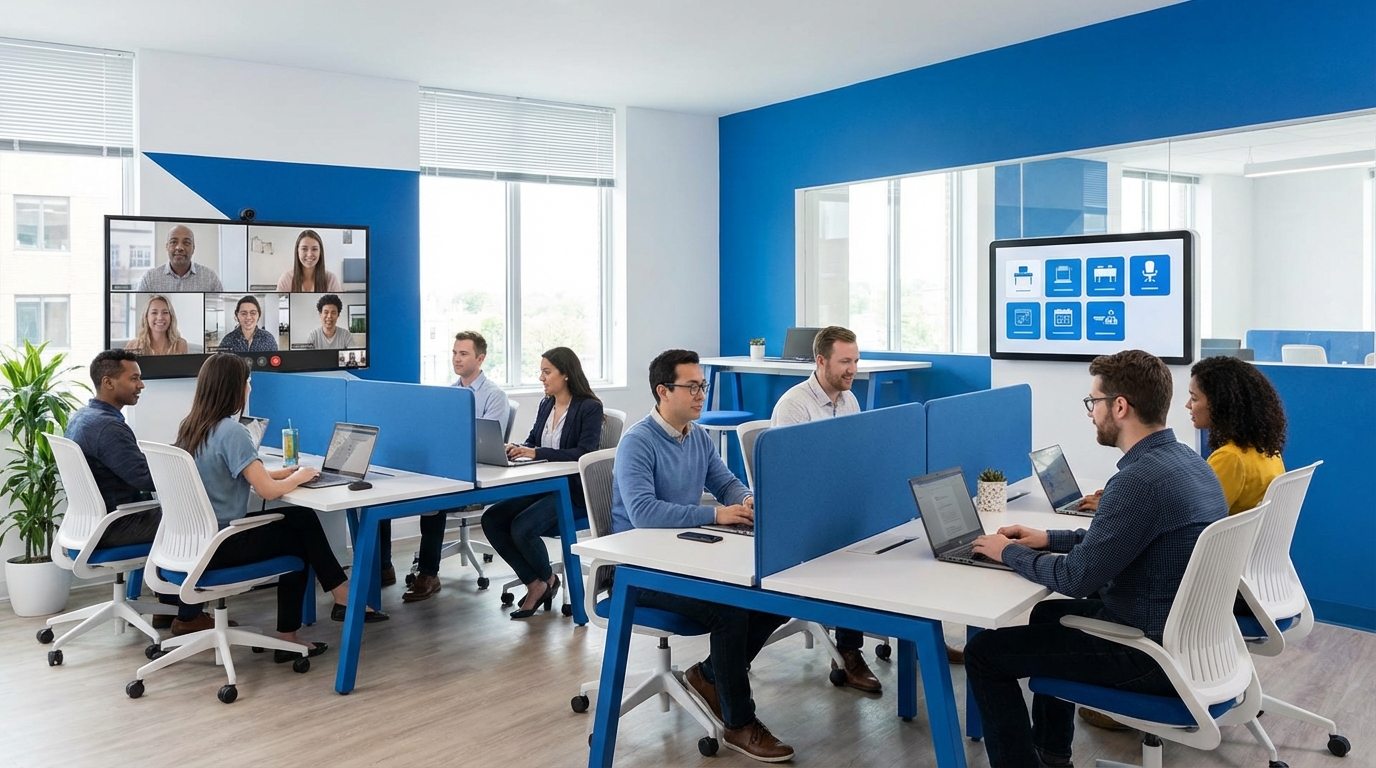
The way you manage desks in a hybrid office quietly shapes everything: culture, productivity, and who actually wants to come in. When desks are a mess, people stay home, meetings slip, and you pay rent for empty chairs. When you get this right, the office supports work instead of fighting it. The trick is mixing flexibility with a bit of structure, without turning your day into a desk traffic controller job.
Why hybrid desk management matters more than you think
Hybrid work is not just “some people at home, some in the office.” It is a pattern problem.
If you do not plan desks, three things happen fast:
1. Mismatched days: The people who need each other sit in different places or come in on different days.
2. Ghost office: You pay for space that sits empty most of the week.
3. Quiet resentment: People feel the system is unfair, even if no one says it directly.
Most leaders focus on policies like “3 days in the office” and ignore where people sit and how they move. That gap hurts.
Desk management in hybrid work is not about furniture. It is about making the right people collide for the right work at the right time.
You do not need a fancy tool to start. You do need clarity, consistent rules, and a simple way for people to know where to go.
Step 1: Decide what your office is actually for
Before you touch seating charts or software, answer one blunt question:
What is the main job of your office now?
Not five jobs. One primary job.
Common roles for a hybrid office
Most hybrid offices fall into one of these primary roles:
1. Collaboration hub
The office is mainly for:
– Workshops
– Whiteboard sessions
– Planning days
– Brainstorming
– Difficult conversations
Individual focus work often happens at home. People come in mostly for meetings and team energy.
If this is your world, your desk plan should:
– Support flexible seating
– Put focus on meeting rooms and breakout places
– Make it very easy for project teams to sit near each other on the same days
2. Focus + collaboration mix
The office supports:
– Deep work
– Client calls
– Some team time
People come in 2 to 3 days each week. They expect reliable space and decent quiet.
Your desk plan should:
– Offer predictable seats for regular office users
– Include zones with different noise levels
– Avoid constant seat changes that create friction
3. Anchor for culture and learning
The office is the main place for:
– Onboarding
– Mentoring
– Social connection
– Training
Work can happen anywhere, but culture grows faster in person.
Your desk plan should:
– Seat managers where people can find them
– Cluster new joiners near experienced people
– Make it easy to bump into leaders and peers
Once you decide the primary job of your office, you can pick a seating model that actually supports it instead of fighting it.
Step 2: Know your people patterns
Desk plans fail when they ignore real behavior. Before you lock in any system, understand how your teams actually work.
Questions to ask before you assign a single seat
You can run a short survey or quick interviews. Look for patterns around:
1. Office frequency
– How many days does each team expect to be in?
– Are the days fixed (Mon/Wed) or flexible week to week?
2. Work style
– Which roles need quiet, long focus blocks?
– Which roles live in meetings?
– Who needs special equipment (monitors, hardware, samples)?
3. Collaboration links
– Which teams work together most often?
– Which meetings get better results in person?
– Who complains when they cannot grab someone quickly?
4. Commute reality
– Who lives close and can pop in?
– Who has long, painful commutes and needs higher predictability?
5. Growth forecast
– Which teams will grow in the next 6 to 12 months?
– Which are stable?
You do not need perfect data. But you do need something more honest than “everyone will just come in three days and figure it out.”
Hybrid success often comes from designing for what people truly do, not for what a policy document hopes they will do.
Once you see the patterns, you can mix desk strategies instead of picking one rigid model for everyone.
Step 3: Choose your desk strategy (or blend of them)
Most hybrid setups work best with a mix of these five models.
1. Fixed assigned desks
Each person gets their own desk in the office.
Good for:
– Roles that must be in most days (support, lab, operations)
– People with heavy equipment or special setups
– Leaders who need to be easy to find
Pros:
– Stability, no decision fatigue
– Strong sense of territory and belonging
– Less daily admin
Cons:
– Empty desks on remote days
– Harder to grow without more space
– Feels rigid for hybrid workers who only come in twice a week
Where this fits in hybrid:
– Use for a small core of roles that are in at least 3 days weekly.
– Pair with flexible seating for everyone else.
2. Hot desking (first come, first served)
No assigned desks. People pick any open desk when they arrive.
Good for:
– Very small teams
– Rare office visits
– Short‑term contractors or visitors
Pros:
– High space use
– Simple on paper
– No seating plan to maintain
Cons:
– Desk anxiety: people worry there will be no seat
– Groups scatter randomly
– People show up earlier than needed just to “claim” a desk
This model sounds flexible, but often creates hidden stress. It works only when:
– You have way more desks than people in on a typical day, or
– Office use is very low and informal
3. Desk hoteling (book in advance)
People pre‑book a desk through a calendar or software for specific days.
Good for:
– Hybrid teams with somewhat predictable patterns
– Offices in city centers where space is tight
– Companies that want usage data
Pros:
– Predictable capacity
– Clear view of who is coming in when
– Easier cleaning and facilities planning
Cons:
– Needs a booking system
– People forget to cancel or update reservations
– Can feel bureaucratic if you make it too strict
This model is often the sweet spot for hybrid work.
If your teams know roughly which days they are in, desk hoteling gives freedom to choose while protecting you from chaos.
Many companies use this pattern:
– Regular “team days” locked in the calendar
– Pre‑assigned team zones
– Within those zones, people book specific desks for the days they come in
4. Team zones and pods
Instead of assigning desks to individuals, you assign sections of the office to teams.
Example:
– Marketing zone: 16 desks, 3 small rooms
– Product zone: 12 desks, 2 collaboration tables
– Sales zone: 20 desks, 4 call booths
Inside each zone, you can still use hoteling or some fixed seats.
Pros:
– Teams actually sit near each other
– Easier to adjust capacity by team
– Builds identity and connection
Cons:
– Requires planning of neighbors and noise levels
– A zone might sit half empty on light days
Team zones work well when:
– Team identity is strong
– Cross‑team meetings are frequent
– You want people to bump into their closest collaborators by default
5. Activity‑based seating
You design areas based on tasks, not teams.
Examples:
– Deep focus area (quiet, no calls)
– Collaboration area (whiteboards, big tables)
– Call zone (pods, headsets)
– Social area (café style, informal)
People move during the day based on what they are doing.
Pros:
– Supports different kinds of work well
– Helps with noise control
– Encourages thoughtful choice about where to sit
Cons:
– Needs clear rules
– Some people find moving during the day tiring
– Harder for managers to “see” their team at a glance
In a hybrid office, you do not have to go full activity‑based. A practical pattern is:
– Team zones as the base
– Within or near each zone, small activity‑based areas, like 2 focus desks and a mini collaboration table
Step 4: Choose tools that are simple, not flashy
Once you pick your model, you need a way for people to know:
– Where they can sit
– Where others are sitting
– How full the office will be
You can go low tech or higher tech. The key is clarity and speed.
Low‑tech options that still work
If your team is under, say, 50 people, you can run hybrid desks with basic tools.
Possible setups:
1. Shared spreadsheet
– Tabs for each floor or area
– Columns for dates, rows for desks
– People write their names into a desk cell for the day
2. Calendar‑based booking
– Each desk is a “resource” in your calendar tool
– People “invite” the desk to their office day event
– Approvals auto‑manage conflicts
3. Weekly form
– Simple form every Thursday asking “Which days are you in next week?”
– Office manager assigns desks and posts a weekly chart
Pros:
– Low cost
– Easy to change
– Everyone already knows the tools
Cons:
– Manual updates
– Harder to see real‑time occupancy
– Can break when you grow
Higher‑tech options
Desk booking tools give you:
– Real‑time availability
– Floor plans
– Simple check‑in
– Usage reports
They work best when:
– Your headcount is growing
– Office days vary week to week
– You have multiple locations
When you pick any tool, ask three questions:
1. Can an employee book or see a desk in under 30 seconds?
2. Can a manager see where their team is on a given day?
3. Can you extract simple usage data monthly without a PhD in reporting?
If any answer is “no”, that tool will frustrate people.
Desk software should feel like a light switch, not a puzzle. One click, you get what you need.
Step 5: Set clear, human rules around desks
Hybrid desk policies do not have to be long. They do have to be specific.
Here are the basics you should define.
1. Booking rules
Answer questions like:
– How far ahead can someone book a desk?
– Can people block a desk for months?
– What is the cutoff to change a booking?
– Do leaders get priority in any cases?
Many teams adopt:
– Booking window: 2 to 4 weeks ahead
– Limit: no more than X days blocked at a time
– Release time: unconfirmed desks are freed at, say, 10 am
You do not need these numbers perfect on day one. Start with something, then adjust based on complaints and data.
2. Fairness rules
Hybrid setups can feel biased. Senior staff might claim the best spots. Certain teams might always get the big tables.
To keep trust, be open about:
– How prime desks are assigned
– Which teams get which zones and why
– How people can request changes
Many companies rotate:
– Window or “prime” desks every 3 to 6 months
– Team zone locations yearly
– Special setups based on need, not rank
3. Etiquette rules
Even the best desk map fails if basic behavior is poor.
Clarify norms around:
– Clean desk expectation at the end of the day
– Noise levels in each area
– Call behavior (headsets, booths, etc.)
– Use of shared equipment
You do not need a strict “clean desk” culture in every area. For booked desks, a simple line like:
“Leave the desk as you found it: clear surface, cables tidy, no personal items.”
goes a long way.
Step 6: Connect desk plans to team rhythms
Desks are not separate from calendars. They should follow how teams actually work together.
Team days as the backbone
If everyone can choose any day to come in, you end up with random collisions. Good collaboration needs a bit of structure.
A common pattern that works:
– Each team picks 1 to 2 core “team days” in the office
– These days emphasize meetings, workshops, and mentoring
– The rest of the week is flexible
Then, link that to desks:
– Reserve a zone for the team on those days
– Make bookings in that zone easier for team members
– Encourage in‑person 1:1s and project sessions on those days
The goal is not to pack the office every day. The goal is to have the right people in at the same time for the right work.
Cross‑team interaction
Some teams need each other often. For example:
– Product and engineering
– Sales and customer success
– Marketing and design
Plan desks so:
– Their zones are close
– Their team days overlap at least once weekly
– They share some breakout areas
You can even run “pair days” where two teams commit to the same office day every week for joint work.
Step 7: Design the physical space around hybrid work
Desk management is half software, half layout.
You can make hybrid easier with small physical changes, not just full remodels.
Think in zones, not rows
Instead of endless rows of desks, think in clusters:
– A row or pod of 6 to 8 desks for a project team
– A small quiet area nearby
– A breakout table at the edge
Even without walls, you can define zones with:
– Different furniture types
– Rugs
– Plants
– Whiteboards as light dividers
Support remote‑in‑office meetings
Hybrid meetings are now normal. People in the office often sit next to someone who is remote.
Your desk areas should include:
– Enough call booths or small rooms for 1 to 3 people
– Clear rules so people do not take every call at open desks
– Good Wi‑Fi and power at all seats
A simple ratio many teams use:
– For every 10 desks, aim for 2 to 3 small call spaces
Tech at the desk
Not every desk needs to be high tech. But a baseline helps.
At minimum:
– Screen or monitor in key zones where people book often
– Standard keyboard and mouse sets
– Easy plugs and adapters
– Clear labeling so support can fix issues fast
Hybrid staff hate “desk roulette” where every seat has slightly different gear. Standard kits reduce that friction.
Step 8: Measure what is working (without going overboard)
Desk data does not need to be complex. You just need enough to decide what to change.
The three metrics that actually matter
1. Occupancy on peak days
– How many desks are used on the busiest day each week?
– Aim for something like 60 to 80 percent usage, not 100.
– Above 85 percent, people start having trouble finding seats.
2. No‑show rate for bookings
– What percent of booked desks do not get used?
– If it is high, tighten booking windows or add simple check‑ins.
3. Distribution by area
– Which zones are constantly busy?
– Which sit empty, even on peak days?
– Those patterns tell you where layout or rules are off.
Hybrid offices usually do not fail loudly. They fail quietly with unused corners and slow frustration. Light data helps you catch that early.
You can pulse survey people every quarter with three short questions:
1. How easy is it to find a desk on the days you want?
2. How well does the office support your work when you are in?
3. Anything you would change about where or how you sit?
Look for repeated themes, not perfect scores.
Step 9: Communicate the system like a product launch
A good desk system still fails if people do not understand it.
When you roll out or change your hybrid desk rules:
Tell the story, not just the rules
Explain:
– Why you made the change (space use, fairness, better collaboration)
– How you involved people (survey, data, feedback)
– What success looks like in clear terms
For example:
“We want Wednesdays to be the main day where product and engineering are together for deep work and design reviews. That is why their zones are next to each other and why we are protecting those seats for them on that day.”
This context makes small annoyances feel more reasonable.
Show, do not just tell
Use simple visuals:
– Floor plans with named zones
– Short video walking through the booking process
– Photos of each area labeled with use cases
Then, reinforce:
– Managers mention desk norms in team meetings
– Leads share their own weekly patterns: “I am in Tue/Thu. Book next to me if you want to pair on work.”
People follow examples from leaders more than documents.
Step 10: Handle common desk challenges in hybrid teams
Hybrid desk management has a few repeat problems. You can plan for them.
Problem 1: People hoard prime desks
Some individuals try to block the nicest spots for weeks.
You can respond by:
– Setting a booking limit (for example, 10 future days at a time)
– Rotating who gets those desks every quarter
– Creating a “team table” that is always open for walk‑ups on certain days
Also, talk to chronic hoarders privately. Often, there is an underlying reason like back issues, light sensitivity, or frequent calls. You can solve that directly.
Problem 2: No‑shows and ghost bookings
People forget to cancel, and others cannot book those desks.
To fix this:
– Add an easy “check in” process: if no check‑in by a set time, the desk frees up
– Send booking reminders on the day before
– Share no‑show rates at an aggregate level so people see the impact
You can also create a small “drop‑in” pool of desks that are never bookable, just available for walk‑ins.
Problem 3: Hybrid meetings from open desks
People join video calls at open desks, and noise spikes.
You can:
– Mark certain areas as “no call” zones
– Give clear guidance: “If your call is over X minutes, please use a booth or room.”
– Equip more small rooms with decent cameras and mics, not just big boardrooms
This is one area where you may need gentle repetition. Behavior does not change after one reminder.
Problem 4: Remote workers feel like second class
If you focus only on the office view, fully remote staff notice.
To balance:
– Bring remote staff into in‑office rituals via clear video links
– Avoid making decisions in hallway chats that never show up online
– Let remote staff “see” the office layout and who is in through your tools
A simple practice is asking in hybrid meetings:
“Is anyone remote missing context from in‑office conversations this week?”
That question keeps habits from sliding.
Designing for different roles and personalities
Not everyone needs the same kind of desk setup. Role and personality both matter more than many leaders expect.
Role‑based desk needs
A few examples:
– Sales and customer success
Need frequent calls, prefer quick access to booths, like sitting near peers for energy.
– Engineering and design
Need long focus blocks, whiteboard spaces, and periodic huddles.
– Support and operations
Need reliable setups, often with multiple screens or fixed gear.
– Leadership
Need somewhere private for 1:1s, but also presence near their teams.
When you group desks, think role first, rank second.
Introverts vs extroverts
Some people thrive in busy spaces. Others drain quickly.
You can support both by:
– Offering a mix of high‑energy and quiet zones
– Letting people pick preferences within reason
– Allowing pattern changes as roles shift
You do not need personality tests for this. You just need managers who ask:
“Where do you do your best work in the office?”
and adjust seating within the system when patterns are clear.
Making hybrid desks part of your talent strategy
This might sound a bit strong, but desk management affects hiring and retention.
People talk about:
– How hard it is to find a place to sit
– Whether the office feels worth the commute
– If leadership cares about their time and focus
Every time someone shows up and cannot find a decent place to work, they file that away when thinking about their future at your company.
You can turn this around and make your hybrid setup a selling point.
Share with candidates:
– Clear hybrid expectations (days in, how teams work)
– Photos of zones and meeting areas
– How you support deep work and collaboration in practice
When they join, keep early experiences simple:
– Default desk recommendations for their first month
– A short “how we use the office” orientation
– A buddy who includes them in in‑office rituals
People rarely leave because of desks alone, but it is part of the daily signal about how your company treats their time.
Practical example: A simple hybrid desk setup for a 100‑person team
To make this concrete, here is a sample layout and approach you could adapt.
Company size: 100
Office capacity: 70 desks
Hybrid pattern: Most staff in 2 to 3 days weekly
High‑level seating model
– 20 “always on” desks for roles in 3+ days (support, operations)
– 40 hoteling desks in team zones
– 10 unbookable drop‑in desks for last‑minute visits
Zones
– Zone A: Product + Engineering
– 18 desks (hoteling)
– 2 standing desks
– 2 small meeting corners
– Zone B: Sales + Customer Success
– 16 desks (hoteling)
– Close to 4 call booths
– 1 shared project table
– Zone C: Marketing + Design
– 12 desks (hoteling)
– 1 small studio or creative area
– Zone D: Support + Operations
– 20 fixed desks (assigned)
– Close to core systems and equipment
– Zone E: Quiet area
– 8 desks (bookable for half‑day blocks)
– Strict “no call” rule
– Drop‑in area near entrance
– 10 desks
– No bookings, first come, intended for guests or ad‑hoc visits
Rhythms
– Company‑wide office days: Tue, Wed
– Product + Engineering team day: Wed
– Sales + CS team day: Thu
– Marketing + Design team day: Tue
Teams know their anchor days months in advance and schedule key meetings then.
Tools and rules
– Desk booking: Simple app or shared calendar
– Booking window: Up to 3 weeks ahead
– Limit: 10 future days per person
– Check‑in: Desk auto‑releases if no check‑in by 10:30 am
– Rotation: Prime window desks rotate every 6 months
This kind of setup avoids extremes. It blends stability, flexibility, and enough structure so people are not guessing.
How to adapt over time without chaos
Hybrid work changes. Teams grow, projects shift, and what worked last year might strain now.
To keep your desk system healthy:
Review quarterly, not daily
Do not tweak rules every week. That just confuses people.
Instead:
– Once a quarter, look at occupancy, zone use, and survey feedback
– Identify 1 to 3 small adjustments (more booths, shift a zone, change booking limits)
– Communicate those adjustments with context
Use pilots for big changes
If you want to try a new model, test it with one floor or one team for 4 to 6 weeks.
Share what you look for:
– Usage data
– Reported stress levels
– Collaboration stories
Then choose to scale, adapt, or drop it.
The goal is not a perfect desk system. The goal is a system you can adjust without breaking trust or productivity.
Hybrid office life will stay. The way you manage desks for remote workers will either support that reality or quietly grind against it. When you treat desks as part of how work actually happens, not just a furniture problem, the office becomes a tool people want to use, not an obligation they try to avoid.