| Aspect | VR Meetings | Metaverse Offices |
|---|---|---|
| Main benefit | Richer collaboration than video calls | Persistent virtual HQ for your team |
| Biggest risk | Fatigue and low adoption | Wasted spend on unused virtual spaces |
| Time horizon | 1 to 3 years for early use in teams | 3 to 10 years for mainstream business use |
| Cost range | $300 to $700 per headset + software | Headsets + custom worlds + integration |
| Best fit now | Remote / hybrid teams, workshops, training | Distributed companies that live online |
VR meetings and metaverse offices are not science fiction any more. They are not mass market either. You sit in the middle. You need to figure out when this shift matters for your business and your career, without chasing every shiny object or waiting so long that you fall behind. That balance is where the real opportunity lives.
Why VR meetings and metaverse offices matter for your work
Let me state the obvious. Video calls fixed one problem and created another. You can talk to anyone, anywhere, but you feel drained, distracted, and half present. People talk over each other. Whiteboards feel clunky. Side conversations die. You get the work done, but you rarely get the same energy you had around a real table.
VR meetings try to close that gap.
You put on a headset and join a shared space. You see people as avatars with body language and spatial audio. You walk up to someone to talk. You grab a 3D object and move it. You step over to a quiet corner. It feels closer to real presence than a grid of faces on a screen.
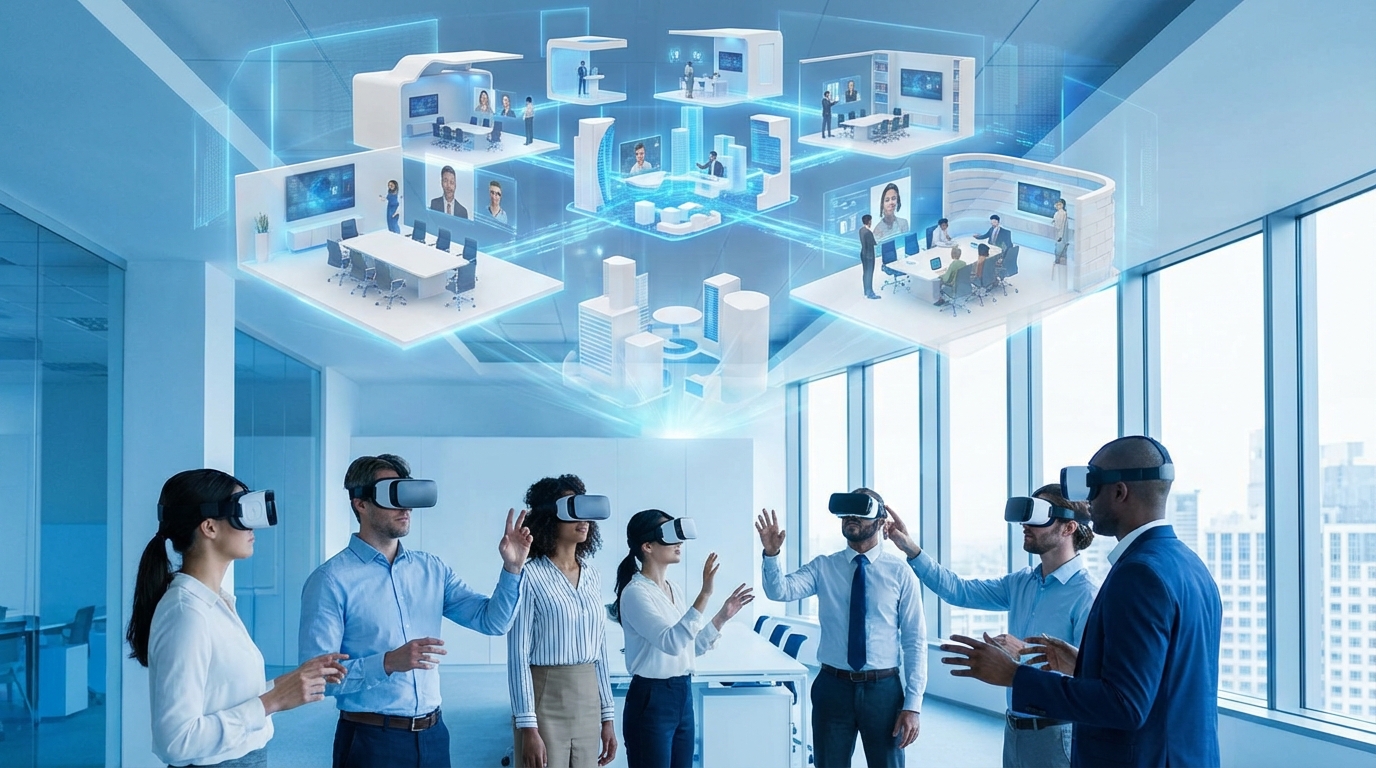
Metaverse offices go one step further. They are always-on 3D spaces your team can enter at any time. Not just for meetings, but for day-to-day work. Think of it as Slack you can walk around in. Rooms. Hallways. Project spaces. Common areas. Your own corner where people can drop by.
None of this is perfect. Headsets can be heavy. Avatars can feel cartoonish. People get motion sick. But the direction is clear: more presence, more immersion, and more spatial context around your work.
If you lead a team, run a company, or just care about your career, you cannot ignore a shift in how people gather, meet, and build things together. Your advantage comes from knowing what to test early, what to ignore for now, and how to build habits that translate well into any future workspace.
What VR meetings look like in practice
The basic flow of a VR meeting
The workflow today is already simple enough that non-technical teams can run with it:
1. Schedule the meeting like normal in your calendar.
2. Add a VR meeting link instead of a Zoom link.
3. At meeting time, you put on your headset and click join.
4. You spawn in a virtual room with your team.
Inside that room, you can:
– See participants as avatars in positions around the space.
– Hear spatial audio so voices come from where avatars stand.
– Raise your hand, react, or move closer to talk.
– Share screens or documents on a wall.
– Pull up whiteboards, sticky notes, or 3D models.
The key shift is spatial context. Where you are in the room matters. Who you stand next to matters. Side groups can talk without interrupting the main group. That simple change can make creative meetings feel very different.
Use cases where VR meetings already make sense
You do not need to move every recurring sync to VR. That would be a mistake. VR is a tool that fits certain types of work.
Right now, the best fits are:
– Workshops and strategy sessions
Sessions where you need a mix of talking, whiteboarding, and shared focus. No email. No Slack. Just the group and the problem.
– Training and onboarding
Simulated environments, role plays, and interactive walkthroughs can stick far better than a deck and a quiz.
– Product design and 3D work
Architecture, industrial design, AR products, retail layouts. Anything where space and scale matter.
– Remote team building
Simple shared experiences like games, office hours, or walk-and-talks in a virtual environment.
Short weekly status calls, one-on-ones, or project updates often still work fine as video or even audio. VR has setup costs. You should be picky.
Where VR meetings fall short today
You will run into friction. Not once. Constantly at first.
Headsets need charging. Software updates break things. New users forget controls. People feel silly in avatars. Some feel motion sick after 15 minutes. There is no way around this right now.
You also have quiet issues that affect trust and culture:
– Eye contact is not true eye contact yet.
– Micro-expressions are missing.
– You cannot always read the room as clearly as in person.
So while VR can help you feel closer than video, it is not a perfect replacement for physical presence. Think of it as a layer between video and in person, not a total swap.
Metaverse offices: what they are and what they are not
Metaverse offices are persistent virtual spaces where your team can meet, hang out, and work. Technically, this does not always need a headset. Many platforms let you join from a browser, while VR headsets give deeper immersion.
You might have:
– A reception area for visitors or interviews.
– A main hall for announcements.
– Project rooms for each team or client.
– Focus pods for deep work.
– Social areas for casual talk.
People can see who is “in the office” by looking at the space. You can walk over and start a conversation instead of sending a message and waiting. It feels closer to a real office than a chat app.
Why some companies are already building virtual HQs
Remote-first companies have a few persistent problems:
– New hires feel disconnected for months.
– Culture lives in documents, not in shared experience.
– Serendipity is rare. Everything needs a scheduled call.
Metaverse offices try to fix part of this.
Leaders use them to:
– Host all-hands that feel like events, not just another grid of faces.
– Create project rooms where assets, notes, and boards stay put.
– Give teams a place to “bump into” each other, even across time zones.
– Reduce meeting overload by allowing quick walk-up chats.
Results are mixed but promising in teams that commit to it. When everyone shows up in the virtual space during certain hours, you get more natural collaboration. When only a few do, it feels like an empty office. This pattern mirrors real life more than people realize.
What metaverse offices are not
There is a risk of getting carried away. You do not need:
– A fantasy skyline for your HQ in the clouds.
– Gamified offices with quests for every task.
– Branded worlds that look great in PR and sit empty.
A metaverse office should be useful first. If your team cannot find each other, cannot find key project assets, or dreads logging in, nothing else matters.
Think of it like this: if your physical office would be a burden at that design level, your virtual one probably is too.
Hardware, software, and what you actually need
Headsets: what is realistic for business use
Consumer VR gear is getting lighter and cheaper. You do not need to be a gamer to use it. Still, you should think like a buyer, not a fan.
Key factors to look at:
– Comfort for sessions of 30 to 60 minutes.
– Clear visuals for reading text and shared screens.
– Easy setup for non-technical team members.
– Strong management tools if you plan more devices.
You will face a tradeoff: cheaper headsets vs better quality and support. For small teams, paying more per unit can save headaches.
Try a pilot: buy 3 to 5 headsets, run a few realistic sessions, and see who adopts them and who struggles.
Software platforms: what matters more than features
Most VR meeting and office platforms advertise similar features. Virtual rooms, whiteboards, file sharing, avatars. That list alone will not help you decide.
Look at:
– Stability during peak times.
– Support across devices (VR, desktop, mobile).
– Ease of joining for guests or clients.
– Integration with tools you already use for calendars, files, and chat.
If sessions drop or logins fail, trust dies fast. Staff will not accept another flaky tool.
Run small experiments with two platforms in parallel. Ask the team which one they actually want to use again. You will hear the truth in their behavior.
How VR workspaces change team behavior
Technology is the surface. What matters more is how people behave when they meet.
Presence and attention
In a video call, your eyes drift. You can mute yourself and multitask. In VR, that is harder. Your screen is blocked. Your ears are occupied. You have presence.
This can feel intense. It also creates stronger focus. People tend to engage more. Discussions can move faster. Dead meetings shrink because it is tiring to sit in a headset with nothing to say.
This is both good and bad. You need to design meetings that use this higher focus. Shorter, tighter agendas. Clear roles. Visual work. If you bring the same unfocused habits into VR, people will burn out.
Movement and energy
Small movements matter. Standing up to present. Walking over to a board. Turning to face another group. VR meetings encourage these small movements.
Teams often report:
– More natural back-and-forth in brainstorms.
– Better turn-taking around ideas.
– Higher engagement from quieter members, once they learn the controls.
You can also design different rooms for different energy levels: calm spaces for planning, bright spaces for ideation, outdoor scenes for casual talk. It sounds minor. It is not. Context shifts change how people think.
Culture and identity
Metaverse offices also inject a layer of identity into remote work. Avatars, personal spaces, and shared rituals hold more weight than a static profile picture.
You might see:
– Weekly drop-in hours with leadership in a virtual lounge.
– Project kickoff ceremonies in a specific space.
– Celebrations where people gather in one room for promotions or wins.
This works when it is tied to real values and behavior. It feels fake when it is all visuals with no substance. People can tell the difference fast.
Career impact: where this shift hits you personally
This is not only about companies. It is about you.
Skills that grow more valuable
Several skills gain weight in a world of VR meetings and metaverse offices:
– Spatial facilitation
Knowing how to run a session in a 3D space, move people around, use rooms, and keep energy flowing.
– Visual thinking
Turning ideas into diagrams, maps, and models that work in shared space, not just slides.
– Remote leadership with presence
Being able to build trust, read a room, and set direction without physical contact.
– Cross-platform communication
Switching between text, audio, video, and VR while keeping clarity and consistency.
If you invest even slightly in these, you stand out. Few people have them yet in a structured way.
Risks if you ignore the shift completely
You do not need to make VR your main skill. But if you roll your eyes at every virtual tool and refuse to learn basics, risk builds over time.
You may miss:
– Roles that require leading distributed teams.
– Client opportunities that prefer immersive workshops.
– Internal projects that run in virtual spaces by default.
Again, the key is not hype. It is literacy. You want to be fluent enough that you can join, contribute, and lead when needed.
Business impact: where the ROI can actually come from
Cost savings vs productivity gains
Many pitches focus on travel savings. Fewer flights. Fewer hotel nights. That is real. It is also shallow.
The deeper gains, when they show up, look more like this:
– Faster project alignment.
– Stronger early-stage design decisions.
– Tighter bonds across remote teams.
– Better learning curves for new hires.
These do not show up neatly on a single line item. You need to watch cycles, error rates, and engagement over months.
New products and services
VR and metaverse offices can also change what you sell. For example:
– A consulting firm offering VR workshops as a premium format.
– A training company building immersive courses with practice scenarios.
– An agency presenting concepts inside virtual mockups instead of static decks.
If your competitors do this and you do not, you look old, even when your strategy is solid.
That does not mean you rebuild everything. Start with one service or offer and test if VR formats actually increase close rates, satisfaction, or learning.
Common mistakes companies make with VR and metaverse workspaces
You can learn a lot from early missteps. I see the same patterns.
Starting with the tech, not the problem
Buying headsets because they are new. Signing a platform deal because it looks impressive. Then asking, “What can we do with this?”
This is backwards.
Start from one clear problem:
– Our workshops feel flat and do not drive decisions.
– Our remote new hires quit early.
– Our distributed leadership team never gets real time together.
Then ask, “Would VR or a virtual office format help with this specific issue?” If yes, design a small test. If not, you save money.
Forcing VR for everything
Turning every meeting into a VR session just to boost adoption. This backfires. People feel like the tool is running their day, not serving them.
Keep VR for:
– High-value sessions.
– Creative work.
– Culture-building moments.
Keep simple, repetitive, or quick topics on chat, email, or video.
Ignoring accessibility and comfort
Some people wear glasses. Some have motion sensitivity. Some get headaches. Others have home setups that make VR hard.
If your culture treats this as resistance or laziness, trust falls. You need fallback options:
– Desktop access to the same spaces where possible.
– Shorter sessions with breaks for intense VR days.
– Clear ways to contribute without a headset.
This is not just kindness. It is practical. You want the best contributions, not only from people who tolerate headsets well.
How to run your first serious VR pilot
Step 1: Pick one clear use case
Choose a use case where you can see impact in weeks, not years. For example:
– A monthly cross-functional strategy session.
– A quarterly product design workshop.
– A recurring training series for new sales reps.
Do not pick something vague like “collaboration in general.” That never lands.
Step 2: Limit scope and participants
Small is better:
– 5 to 15 people.
– 1 to 3 headsets for shared use or a small group given permanent access.
– 2 to 4 sessions planned, not just one.
This gives enough repetition for people to get past the novelty stage.
Step 3: Prepare people ahead of time
Send:
– Short how-to join instructions with screenshots.
– A 10-minute intro session for controls and etiquette.
– Clear goals for each VR meeting.
You want the cognitive load on the content, not on figuring out which buttons move your avatar.
Step 4: Measure what actually changes
You can track:
– Participant feedback with a short survey.
– Time taken to reach key decisions.
– Quality of outputs like ideas, designs, or action plans.
– Attendance and engagement rates compared to video sessions.
Even though data will not be perfect, you will see patterns. From there, either expand or pause.
Design principles for a useful metaverse office
If you decide to build a more persistent space, design matters. You are shaping behavior.
Keep the layout simple
Think of real offices that work well. Simple paths. Clear zones. Signage.
In a virtual HQ, that means:
– A central hub anyone can find.
– A few clear rooms for main use cases.
– Minimal gimmicks.
People should be able to describe the layout to a new hire in one minute. If they cannot, it is too complex.
Make norms explicit
Your space does not run itself. You need basic norms, like:
– Core hours when people are expected to be present in the virtual office.
– Signals for “do not disturb” vs “open to talk.”
– Rituals for daily or weekly gatherings.
Write these down. Share them. Revisit them with the team.
Integrate with existing tools
Your metaverse office should not sit on an island. You want:
– Calendar links that launch sessions right into the right room.
– Boards and documents that sync with your main storage.
– Notification settings that do not flood people.
This is where platform choice becomes critical. Simple connections beat fancy visuals.
The psychological side: how this feels for real people
The novelty curve
You will see a pattern:
1. Excitement in week one.
2. Awkwardness in week two.
3. Fatigue or pushback in weeks three and four.
4. Habit for people who see real value after a month or two.
If you judge success by week one, you get fooled. If you dismiss it in week three, you may quit right before habits form.
You need to manage expectations:
“This will feel strange at first. Give it a few tries. Then tell us if it helps your work or not.”
That kind of framing gives people space to be honest and curious at the same time.
Identity and privacy
Avatars raise questions:
– Should they look like you or be abstract?
– Are gestures and voice recordings stored?
– How will recordings or screenshots be used?
Clear policies help. Some teams choose professional avatars that resemble real faces. Others prefer stylized ones to reduce bias. There is no single right answer, but there must be an answer.
Belonging in virtual spaces
Done well, VR spaces can create genuine moments of connection.
You may see:
A brief chat after a session, walking out of a room with a colleague, that turns into a new idea or clears up a tension.
Those micro-moments are hard to get in pure text-based remote work. They do not replace real life. Still, they help.
Signals that VR and metaverse work are right for you now
You do not need a grand strategy. Look for simple signals:
– Remote or hybrid is your default, not a side case.
– You run workshops or trainings where presence matters.
– Travel budgets are tight, yet you still need high-quality collaboration.
– Your team is already comfortable with digital tools and change.
If these fit, a cautious pilot makes sense.
On the other side, if your team struggles with basic video calls or email, VR will not fix that. It will magnify the chaos.
Practical next steps you can take this month
Let us get concrete. Here are a few simple moves you can make without overcommitting.
As a team leader or founder
– Pick one upcoming strategy or design session and run it in VR with a test group.
– Buy a small set of headsets and lend them to people who volunteer, not those who resist.
– Ask for honest feedback focused on “Did this help us do better work?” rather than “Did this feel cool?”
Capture what worked and what did not. Then decide the next experiment.
As an individual professional
You can:
– Learn one major VR meeting platform well, even on desktop.
– Offer to host or facilitate one immersive session for your team or clients.
– Build a simple portfolio piece like a VR workshop outline or a training concept.
This shows that you are thinking ahead, without betting your whole career on one trend.
What to watch over the next few years
Things you should keep an eye on:
Headset comfort, resolution, and price will keep improving faster than most people expect.
Enterprise platforms will slowly converge on a few leaders that integrate cleanly with your existing tools.
Younger professionals entering the workforce will treat immersive environments as normal, not special.
Regulation and norms around privacy, data, and safety in virtual workspaces will mature.
These shifts will not all happen at once. They will arrive in waves. The goal for you is not to chase every wave, but to stay close enough that you can paddle when the right one comes.
The future of work will not be only VR, only metaverse offices, or only physical spaces. It will be a mix. The people and companies that win will be those who can move smoothly across all three, choose the right setting for each task, and build habits that travel with them.