| Aspect | Mobile-First Workflow |
|---|---|
| Main Benefit | Run 80-90% of your business from your pocket |
| Biggest Risk | Distraction, burnout, and poor deep work |
| Best Fit For | Service businesses, creators, consultants, small teams |
| Key Tools | Messaging, cloud docs, project apps, calendar, password manager |
| What Still Needs Desktop | Heavy design, detailed analytics, complex spreadsheets |
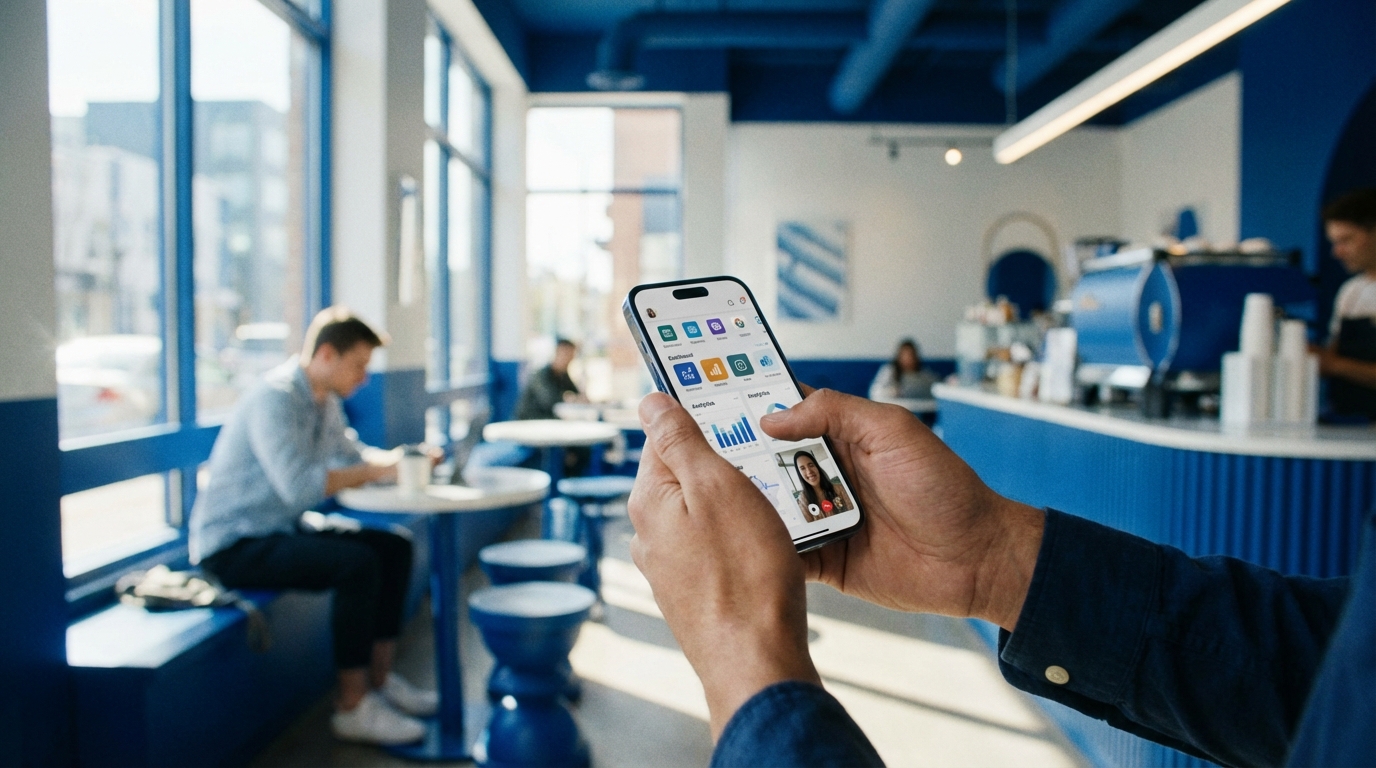
You carry the most powerful business device you own in your pocket, but most people still treat their phone like a distraction, not a control center. A mobile-first workflow flips that. Your phone becomes HQ. Your laptop becomes a backup. Once you design your business around that idea, you free up time, you move faster, and you stop feeling chained to a desk. Technically, this does not solve every problem in your business, but it changes how you live your day.
Why “mobile-first” is a mindset before it is a tech stack
Running a business from your phone is not just about apps.
It is about designing work so it can move in short, clear, focused bursts, from anywhere.
Most people try to go mobile by forcing desktop habits onto a tiny screen. That rarely works. You need to think the other way around.
Mobile-first means you design your business so any critical decision, approval, or reply can happen in 30-90 seconds on a small screen.
So instead of asking “Can I open this giant spreadsheet on my phone?”, you ask “Why do I need this giant spreadsheet to make this decision in the first place?”
The shift looks like this:
– From long email threads to short, structured chat.
– From complex files to simple dashboards and clear summaries.
– From “I will handle this when I am at my desk” to “I handle this in the moment, from anywhere.”
If you get the mindset right, the tools feel obvious.
The real pros and cons of running your business from a phone
What mobile-first gives you
Let us get practical. Here is what a mobile-first workflow does for you day to day.
You gain speed. You see a client message, send a clear reply in 20 seconds, move the project forward, and go back to your life. No mental tab open. No “I will get back to this later” pile.
You gain presence. You are not stuck at a desk “just in case something comes up.” You can be at your kid’s game, in a coffee shop, or on a short walk, and still keep the business running.
You gain clarity. A phone forces simplicity. You cannot juggle 40 browser tabs or build 12-sheet spreadsheets comfortably on that screen. That pressure, used well, forces you to ask better questions: what do I actually need here?
If you cannot run it from your phone for at least a few days, the business might be more complex than it needs to be.
You gain resilience. Travel, meetings, events, bad Wi-Fi days. With a phone-first setup, your systems keep moving. Work is not tied to a place.
What mobile-first takes away or makes harder
There is a cost.
Deep work gets harder. Your phone wants to interrupt you. You may feel like you are “busy” all day and still go to bed feeling like you did not move the big rocks.
Context switching increases. One tap, you are in client DMs. Another tap, team chat. Another tap, invoices. If you do not set rules, your focus scatters.
Quality control can slip. Quick messages are fast, but sometimes you miss nuance. You might approve something too quickly on a small screen and later wish you looked at it more slowly.
And there is a limit. Heavy design, big financial models, coding, detailed funnel analysis. You still want a laptop or desktop for that work. The goal is not to throw your computer away. The goal is: laptop optional, not laptop constant.
The four levels of a mobile-first business
Think of mobile-first as four levels. You can move through them over time.
Level 1: Mobile-responsive but not mobile-led
You answer emails on your phone. You check Slack. You reply to texts. That is it.
Nothing is really designed for phone use. You still say “Let me get to my desk” many times a day.
This is where most founders and solo operators sit by default.
Level 2: Mobile-friendly workflows
At this level, you start designing processes that work cleanly on a phone.
You move project communication into apps that work well on mobile. You stop storing key files on a local hard drive. You use calendar links, not long email chains, to schedule.
You still do some heavy tasks on a computer, but your daily operations are compatible with mobile.
Level 3: Mobile-first operations
Now you design everything around the phone.
You choose tools because their mobile app is strong. You define rules for communication that fit small messages. You build templates, canned replies, and automations that you can trigger with a few taps.
You can travel with only your phone for 3-7 days and nothing breaks.
Level 4: Phone as the primary control center
This is where you are truly “running” the business from your phone.
You use your laptop as a workstation for deep work projects. The phone is where:
– Decisions get made.
– Approvals and payments happen.
– Team direction is set.
– Client communication gets handled.
– Metrics and cash get checked daily.
You could go a couple of weeks with only your phone and a tablet or borrowed laptop for the rare heavy task.
You do not have to reach level 4. But aiming for level 3 changes how you design your days.
The essential building blocks of a phone-led business
1. Your communication hub
Communication is the backbone of mobile-first work. If your messages are scattered, your brain is scattered.
You want clear categories:
– One place for team communication.
– One place for client communication.
– One place for external or sales leads.
– One place for personal life.
Try not to mix them more than needed.
For team chat, tools like Slack or Microsoft Teams work. The key is not the logo. The key is:
– Fast, reliable mobile app.
– Clear channels or groups, named by topic or project.
– Rules on where things go.
For clients, email alone is often slow and messy. A mix can work:
– Email for formal proposals, contracts, legal.
– A dedicated chat channel (WhatsApp, Signal, or platform DMs) for day-to-day updates.
You want “one primary channel per client” written down. Something like: “We use WhatsApp for quick updates, and email for documents.”
Every extra place someone can message you is another crack in your attention.
If you are a creator or coach, DMs can be tempting. Try to funnel people from random DMs into one channel:
– Auto-responder in DMs: “For coaching or consulting, reply to this with ‘coaching’ and I will send you a link.”
– That link goes to a simple intake form that triggers an email or CRM entry.
You are not trying to be hard to reach. You are trying to be reachable in a way that does not drain you.
2. Calendar as the backbone of your day
If your phone is HQ, your calendar is the floor plan.
You want:
– One calendar that holds everything work-related.
– Calendar links for meetings, so you never play email ping-pong.
– Time blocks for solo work, not just calls.
Use a simple system:
– Color for client calls.
– Color for team calls.
– Color for deep work blocks.
– Color for personal.
Then actually look at it.
Every night, open your calendar app and ask: “Does tomorrow match how I say I want to run my business?” If you want a mobile-first setup, you want shorter, sharper meetings, and more unscheduled space that you fill using your phone.
A small tweak: protect at least one “no call” day every week. That might sound strict. It protects your sanity.
3. Cloud storage and simple docs
You cannot run a mobile-led business if your key files are locked on a laptop.
Pick one cloud storage platform. Google Drive, Dropbox, OneDrive. The name is not the main factor. You want:
– Strong mobile app.
– Easy sharing from your phone.
– Simple offline access for a few key docs.
Create a basic folder structure:
– /Admin (contracts, legal, banking docs)
– /Finance (invoices, receipts, monthly reports)
– /Clients
– /ClientName1
– /ClientName2
– /Assets (logos, brand, media)
– /Team (playbooks, SOPs, onboarding)
You do not need 50 folders. Just enough to reduce thinking.
When someone asks for something, you want to be able to pull it up from your phone in 10 seconds. That is the test.
4. Passwords and security
On a phone, password typing is painful. Reuse is tempting. That is risky.
Use a password manager with a mobile app. This removes the friction of strong logins.
Set two-factor authentication for your core accounts:
– Email.
– Cloud storage.
– Banking.
– Payment processors.
– Social accounts.
Lock your phone. Use a code, fingerprint, or face ID. Then stop thinking about it. You do this once, then your workflow is faster and safer.
5. Money: invoices, payments, and tracking
Money has to flow easily from your phone.
You want:
– An invoicing tool with a strong mobile app or good mobile site.
– A payment processor you can check anytime.
– A simple way to track income and expenses.
If your accounting is complex, let your accountant handle the books. What you need on mobile is:
– Can I send an invoice right now?
– Can a client pay online with a link?
– Can I see what is overdue?
You should be able to:
– Open your phone.
– Check revenue this month.
– See who owes you money.
– Send a reminder.
That habit alone can fix cash gaps over time.
6. Project and task management
This part can get heavy on desktop. On mobile, it needs to be light.
You want one simple rule: no project lives only in your head or in a chat.
Use Asana, Trello, ClickUp, Notion, or something similar. Again, the brand is less important than:
– Fast mobile app.
– Clear structure.
– Easy to add a task on the go.
For each client or project, you want:
– A short description of what “done” looks like.
– A list of tasks with owners and dates.
– A simple “next step” you can see at a glance.
Your mobile workflow is:
– You get a message from a client.
– If it is work, not just info, you open your project tool on your phone.
– You add a task with a date and owner.
– Then stop thinking about it.
If you cannot capture tasks in under 30 seconds from your phone, your brain becomes the project manager. That does not end well.
Designing daily routines around your phone, not against it
Morning control check
A mobile-first workflow starts before most people open their laptops.
A simple morning sequence:
1. Open calendar. Confirm what actually must happen today. Move or cancel what does not.
2. Open your project app. Look at “Today” only. Not “This week.”
3. Open money apps. Quick scan of balances, invoices, and any urgent payments.
4. Only then open email and chat.
You want to move from “reactive scroll” to “controlled sequence.”
This takes 5-10 minutes. You can do it in bed, on a walk, or with coffee. The key is order. If you open chat first, you fall into other people’s agendas.
Blocks, not constant checking
A phone close to you all day is a temptation. To reduce the pull:
– Create 2-4 “communication blocks” where you handle messages.
– Outside those blocks, turn off as many notifications as you can.
For example:
– 9:00-9:45: Clear email and chat. Give tasks. Make decisions.
– 12:30-13:00: Check in, answer pressing questions.
– 16:30-17:00: Final sweep. Give updates. Close loops.
The rest of the time, your phone can still be with you. But you do not owe it constant attention.
This is not about being rigid. Some days will break the pattern. The pattern gives you something to return to.
Separating “phone for work” from “phone for everything”
One reason mobile-first can backfire is that work and life blur on one device.
You have a few options:
– Use separate work and personal profiles on the same phone, if your phone supports that.
– Use app limits for social media during core work hours.
– Move distracting apps to a folder on the last home screen.
A simple tactic that works well:
– Keep only “work-critical” apps on your first home screen.
– Move everything else away.
So when you unlock your phone during work time, the first things you see push you toward productive actions, not endless scroll.
Making decisions fast, without lowering your standards
Mobile-first means more decisions in short windows. You need a way to keep quality.
Set decision rules once, reuse them often
Write simple rules for common decisions:
– “We do not take projects under X fee.”
– “We do not start work before a signed agreement and first payment.”
– “We reply to clients within 1 business day on weekdays.”
Put these in a short note you can open on your phone, and in a team doc.
Now, when you get a message:
– If it fits a rule, answer fast.
– If it does not, you slow down and treat it as a deeper decision.
Clarity up front lets you be fast later without rethinking your whole business every time someone emails you.
Use templates and canned replies
On a phone, typing long messages is painful.
Create text snippets for:
– New lead replies.
– Project onboarding.
– Payment reminders.
– “No” to misfit offers.
– Handoffs to team members.
You can store these in:
– Your email app as templates.
– A notes app.
– A text expander tool that works on mobile.
Then you adjust a few words for context. This saves time and reduces errors.
Building a team that works well in a mobile-first world
Hire for written clarity, not just credentials
When most communication runs through mobile apps, writing quality matters.
You want people who:
– Write clearly in short messages.
– Ask precise questions.
– Can summarize their own work.
During hiring, watch how candidates communicate:
– Are their emails concise?
– Do they share status updates without being asked?
– Do they confirm next steps?
These small signals show how they will behave in your chat and project apps.
Set expectations for availability and response times
Mobile-first is not “always on.”
Define:
– Core response window for team chat. For example: “We reply within 4 work hours.”
– What counts as urgent. For example: “Client site down, payment issues, security concerns.”
– Where urgent messages go. For example: “If it is critical, use this channel only.”
Write this in a basic team guide. Discuss it once live. Then keep reinforcing it in daily work.
If you blur this, everyone lives in “maybe urgent” mode, glued to their phones.
Give people clear ownership
To keep your phone from becoming a bottleneck, make sure:
– Every recurring task has an owner.
– Owners have permission to decide within clear boundaries.
Examples:
– “Support lead can refund up to $X without asking.”
– “Project manager can move dates inside this week without approval.”
– “Marketing lead can spend up to $Y per test.”
This way your mobile role shifts from “answering everything” to “handling only what truly needs you.”
Client experience from a mobile-first founder
Being responsive without being reactive
Clients love fast answers. They also love solid work. You need both.
A simple pattern that works well with mobile:
– Quick acknowledgment from your phone: “Got this, I will send you a detailed reply by tomorrow.”
– Deeper response later from laptop or during a focus block.
So you use your phone to give certainty and manage expectations. You use your deeper work time to create quality.
Setting boundaries from the start
If clients can message you on your phone, scope creep can sneak in.
From day one:
– Tell them your normal reply window.
– Share what channels you use.
– Clarify what is included in your service and what is extra.
You can send a short “Welcome message” template from your phone like:
“Hi [Name], great to start working together. For ongoing work, we will use [Channel] for updates. I reply within [timeframe] on weekdays. Anything urgent, mark it as such so I can prioritize. For scope changes, we will confirm in writing and adjust fees or timelines as needed.”
You do not need fancy contracts to set expectations. One clear message at the start does a lot.
Content, marketing, and sales from your phone
Creating and publishing from mobile
If content brings you leads, you want to be able to create from anywhere.
Your phone is already:
– A camera.
– A microphone.
– A publishing device.
You can:
– Record short videos vertically and post to social.
– Dictate ideas into a notes app.
– Draft email subject lines or hooks while in transit.
Technically, long articles and complex funnels still feel nicer on a laptop. But many pieces of your marketing can start and sometimes finish on your phone.
A workable pattern:
– Use your phone for capturing ideas, recording, quick posts.
– Use your laptop for editing large pieces and planning campaigns.
Running simple sales from your pocket
If your business relies on calls or consults:
– Use a calendar scheduling tool.
– Connect it to your main calendar.
– Reply to leads from your phone with a single link.
The flow:
– Lead DMs you.
– You reply with a short message and your link.
– They pick a time.
– You show up with notes in your mobile doc.
You can also keep a simple “Pipeline” note:
– Column for “New leads.”
– Column for “In conversation.”
– Column for “Won / Lost.”
Each line has a name, amount, and next step. This does not replace a CRM for complex sales, but it keeps you from dropping people when you are on the move.
Working offline, or with poor connection
Mobile-first does not mean you will always have perfect internet.
Prepare for that:
– Mark a few key docs as available offline: proposal templates, pricing, core SOPs.
– Use a notes app that syncs, but lets you work offline.
– Download key media or slides before calls.
Then, if you end up on a plane or in a dead zone, you can still:
– Plan your week.
– Draft content.
– Review strategy notes.
Once you reconnect, everything syncs.
Knowing what should stay on desktop
Some work still belongs on a larger screen.
Examples:
– Detailed analytics review: multi-tab dashboards.
– Complex spreadsheet modeling.
– Heavy design work or video editing.
– Long-form writing that needs deep thought and structure.
– Technical setup for tools and automations.
You do not force these into your phone. Instead, you:
– Batch them into 1-3 longer laptop sessions per week.
– Protect those blocks in your calendar.
– Use your phone to review outcomes, not produce everything.
Your phone runs the business. Your computer builds the assets.
That divide keeps your mobile life light and your work quality high.
Common traps with mobile-first workflows and how to dodge them
Trap 1: Always “on” and never off
If your business fits in your pocket, your brain might feel like it never gets to clock out.
To avoid that:
– Set “Do Not Disturb” hours every night.
– Have at least one day a week with no client chat, unless pre-agreed.
– Tell your team and clients those boundaries in advance.
It might feel awkward to set limits. It feels worse to live without them.
Trap 2: Managing from chat instead of from systems
If every decision and task lives only in your chat apps, you will drown.
Make one small rule:
If a request takes more than 10 minutes of work, it should become a task in your project tool.
You can do this from your phone while you are still in the chat:
– Copy key context.
– Paste into task description.
– Assign owner and date.
Then you can stop scrolling chat history to remember what matters.
Trap 3: Building a “mobile zoo” of apps
There is an app for everything. You do not need them all.
Try a “one in, one out” rule:
– If you add a new app category, remove or disable a similar one.
For example:
– One project tool.
– One main chat tool for the team.
– One cloud storage provider.
– One invoicing setup.
Too many tools increases mental load. On a phone, that is even more obvious.
Step-by-step: moving to mobile-first over 30 days
You do not need to flip your business in one week. A simple 30-day shift can move you far.
Week 1: Audit and simplify
– List your current tools: email, chat, files, finance, projects.
– From your phone, try to do your full normal day.
– Notice every time you say, “I will do this later on my laptop.”
Those moments are your friction list.
Then ask:
– Can I move this to a different tool with a stronger mobile app?
– Can I simplify the process so I do not need that step?
You will not fix everything at once. Just capture the reality.
Week 2: Fix communication and calendar
– Pick primary channels for team and clients.
– Move at least one major client to the new setup.
– Clean your calendar, add blocks, and share meeting links.
Watch how your days feel by the end of the week. You should already feel fewer “Where do I respond?” moments.
Week 3: Fix tasks and files
– Set up or clean your project tool.
– Create simple spaces for each current client or project.
– Move active docs into a clear folder structure in your cloud tool.
From your phone, create and complete at least 10 tasks. The goal is to build the habit of capturing work as tasks from your mobile.
Week 4: Money and deep work balance
– Make sure you can send an invoice and check income from your phone.
– Set up daily or weekly money checks.
– Block 2-3 deep work sessions on your computer.
– Use your phone to prepare for those sessions: notes, ideas, inputs.
By the end of 30 days, you do not have a perfect mobile-first business. You do have proof that most of your daily operations are now pocket-ready.
Living with a phone-led business without losing your life
Running your business from your phone is not just a tactic. It is a lifestyle choice.
You trade some separation for freedom. You can be more present in more places, but only if you handle the boundaries.
So you:
– Decide what really must come to your phone and what can wait.
– Design systems that support quick, clear action instead of constant checking.
– Protect deep work and real rest as seriously as you protect revenue.
There will be days where it feels messy. Where you swipe between 6 apps and wonder why you ever thought this was a good idea.
Then there will be days where you close a deal from a park bench, approve content from a train, send invoices from a cafe, and then put your phone down to have dinner without worry.
Those days are what a mobile-first workflow is for. Not perfection. Just a business that fits the life you actually want to live.