| Upgrade Type | Rough Cost Range | Main Benefit | Good For |
|---|---|---|---|
| Panel upgrade (100A to 200A) | $2,000 – $4,000 | More capacity, safer system | Older homes, EVs, big remodels |
| Whole home surge protection | $300 – $800 | Protects electronics and appliances | Anyone with expensive devices |
| Smart switches / dimmers | $150 – $350 per room | Comfort, energy savings | Living areas, bedrooms |
| EV charger circuit | $800 – $2,000 | Fast, reliable charging at home | Current or future EV owners |
| Dedicated office circuits | $300 – $1,000 | Stable power, fewer outages | Remote workers, home businesses |
Smart electrical upgrades in West Des Moines homes matter because they quietly support how you live and work: they protect your time, your gear, and in many ways your long term finances. If you pick a few focused upgrades, like a panel upgrade, better lighting, and one or two smart systems, you can make daily life smoother and protect your future plans without turning your house into a tech showroom. For many owners in West Des Moines, starting a plan for electrical upgrades West Des Moines IA is less about chasing gadgets and more about building a home that can grow with your career, your family, and your income goals.
I will try not to overcomplicate things. But electrical work is one of those areas where small decisions in the background can affect everything in the foreground of your life: sleep, stress, and even how you think about opportunity.
Why electrical upgrades matter for your life and business goals
If you are reading a blog that talks about growth, you probably care about two big themes: time and leverage. Not the financial buzzword kind, just the basic idea that your effort should produce more than a one-to-one result.
Electrical upgrades hit both of those in a quiet way.
You want a home office that never trips a breaker when you run a space heater and a printer at the same time. You want reliable power for video calls so you do not look unprepared. You want lighting that keeps you awake when you need to work late and lets you wind down when you need to rest.
A home that constantly fights you with small electrical issues slowly drains your focus, and that drain adds up over months and years.
Think about it bluntly:
– How often do you reset a breaker, dig out a surge strip, or worry about storms frying your gear?
– How many corners of your house feel uncomfortable to work in because the lighting is bad or there are not enough outlets?
– How much do you trust your panel and wiring if you start adding heavy loads like an EV charger, a sauna, or more powerful HVAC?
These are not glamorous questions, but they are practical. And practical choices tend to compound over time.
Start with the foundation: your electrical panel and capacity
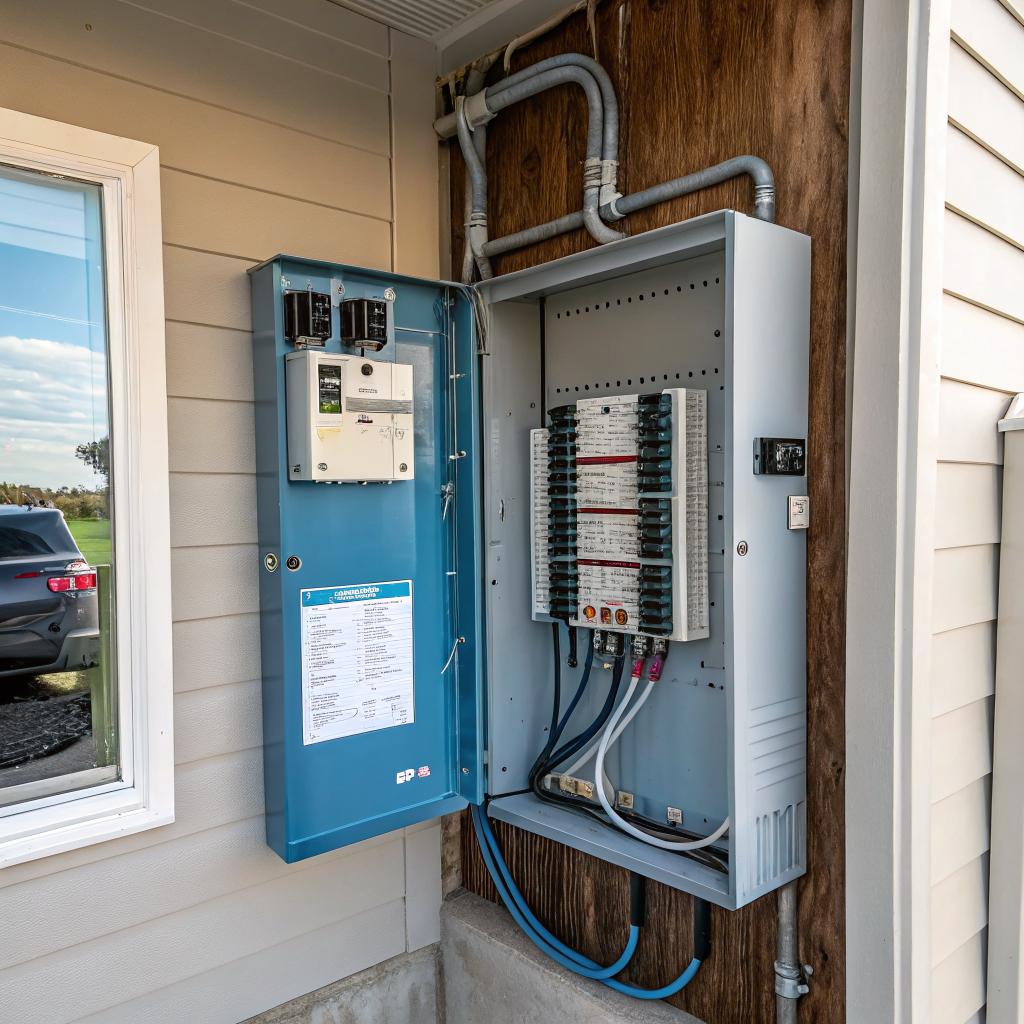
If you live in an older part of West Des Moines, your home might still be running on a 60A or 100A panel, fuses, or aluminum branch wiring. It might be working “fine,” but fine is not the same as ready for the next 10 to 20 years.
Signs your panel is holding you back
You probably do not stand in the basement admiring your electrical panel, but watch for things like:
- Frequent breaker trips when you use space heaters, microwaves, or hair dryers
- Limited open slots on the panel, or none at all
- Old screw in fuses instead of modern breakers
- Burnt smells or warm spots near the panel cover
- Labels that do not match what is on each circuit (usually a sign of many changes over the years)
None of these mean your house is falling apart, but they do point to a system that has not been thoughtfully planned around modern loads.
100A vs 200A: how much do you really need?
A lot of West Des Moines houses can survive on 100A service if you are careful. But that is the word: survive.
Once you start adding:
– An electric vehicle
– A hot tub
– Electric range and oven
– Finished basement or attic
– Workshop with tools
your headroom disappears fast.
For many owners who care about long term growth, a 200A panel is not overkill. It is breathing room.
If you expect your income, your household, or your ambitions to grow, your panel should not be the ceiling that stops those plans.
| Service Size | Typical Home Profile | Risk Over Next 10 Years |
|---|---|---|
| 60A | Very small, older homes, limited electric load | High. Limits EVs, electric ranges, additions. |
| 100A | Smaller homes without heavy electric heat or EVs | Medium. Can work, but tight with growth. |
| 200A | Most modern family homes, EVs, finished spaces | Low. Room for upgrades and new circuits. |
If you are planning to stay long term, the cost of upgrading a panel once is usually easier to swallow than constantly rearranging circuits or saying no to future ideas.
Whole home surge protection: insurance for your electronics
West Des Moines gets its share of storms. Power spikes and surges do not care how careful you are with your laptops or TVs.
Small plug in surge strips help, but they are not the whole answer. Cheap ones wear out quietly, and most people never replace them until something fails.
A whole home surge protector sits at or near your panel. It takes the main hit from external surges, like lightning on the grid or big switching events from the utility. It will not prevent every issue, but it cuts down the big ones.
If you add up the value of:
– Computers
– TVs
– Networking gear
– Smart home devices
– Appliances with delicate boards
you will probably see that a few hundred dollars to protect them is not some luxury. It is just conservative.
If your work depends on electronics, then your income depends on the quality of the power feeding them.
I know some people feel this is unnecessary. But I have watched one storm knock out a modem, a router, a TV, and a smart thermostat in the same house. None of those were bought for fun. They were part of a normal, functional life.
Smart lighting for focus, sleep, and mood
This is where electrical upgrades start to feel less like “infrastructure” and more like lifestyle. The way your home is lit changes how you think, how you feel, and even how much you want to work on that side project at 8 pm.
Where smart switches make sense
You do not need smart tech in every single light. That is how costs bloat and setups become annoying.
Focus on zones:
- Home office or study
- Living room or family room
- Primary bedroom
- Exterior lighting around entrances
With smart switches or dimmers, you can:
– Set brighter, cooler light during work hours
– Dim and warm the light in the evening to help your brain slow down
– Automate porch and exterior lights so they track sunset and sunrise
– Control multiple fixtures together without walking around flipping switches
This might sound minor, but think about how often lighting affects your mood. Harsh overhead lights late at night make it harder to disconnect. On the other hand, a bright, even work area makes it easier to stay on a call or finish a report without fatigue.
Smart bulbs vs smart switches
You have two main paths:
| Option | Pros | Cons |
|---|---|---|
| Smart bulbs | Color control, easy to change per fixture | Need power at the switch always on, can be confusing |
| Smart switches/dimmers | Work like normal switches, whole circuit at once | Upfront install cost, needs wiring work |
For an entire home, I tend to lean toward smart switches in most rooms and keep smart bulbs for a few specific fixtures where color temperature really matters.
Designing a home office that respects your work
A lot of West Des Moines homes were built before remote work was common. So your “office” might be a spare bedroom, a finished basement, or a corner of the main level.
If you run a business, manage a team, or just want career growth, that space deserves proper electrical planning. Not just an extension cord and a power strip.
Key electrical upgrades for a serious home office
Here are a few practical changes that make a daily difference:
- Dedicated circuit for your computer, monitors, and networking gear to reduce nuisance trips
- Extra outlets at desk height so you are not crawling under furniture each time you add equipment
- Hardwired Ethernet jack near your desk for stable video calls and large file transfers
- Quality lighting that avoids shadows on your face during video calls
You do not need some overdone studio. You just need a space that works every day without drama.
There is a clear business case here. If your home office feels temporary, it affects how you think about your work. When the electrical and physical layout feel intentional, it is easier to treat your work time as non negotiable.
EV chargers and future heavy loads
Even if you do not drive an EV yet, there is a fair chance your next car, or the one after that, will be electric or plug in hybrid. Many West Des Moines owners already made the switch and faced the same question:
Is my house ready for this?
Level 1 vs Level 2 charging at home
Level 1 is just a regular 120V outlet. It works, but it is very slow.
Level 2 needs a 240V circuit, often 30A to 50A, depending on the car and the charger. That circuit needs space in your panel and proper wiring to the garage or parking area.
Upgrading your panel first, then adding a dedicated EV circuit, is cleaner than trying to wedge in a new high demand load on an already crowded system.
From a life angle, daily charging at home gives you back time. You skip gas station trips and wake up with a “full tank” most days. That is one less errand floating around your schedule.
Thinking beyond cars
Once the panel and wiring are ready for one big electric load, it becomes easier to add others later, like:
– Mini split systems for better temperature control
– Electric workshop equipment
– Backyard sauna or hot tub
– Additional HVAC zones in finished basements or attics
This is where a focused electrical plan supports your future projects without constant rework.
Safety upgrades that protect your family quietly
Nobody loves paying for things they cannot see. But some hidden upgrades are just smart risk management.
GFCI and AFCI protection
Modern codes call for GFCI and AFCI protection across more areas of the home than older houses have.
– GFCI (Ground Fault Circuit Interrupter) helps prevent shock in wet or damp locations like bathrooms, kitchens, outdoors, garages, and basements.
– AFCI (Arc Fault Circuit Interrupter) helps catch arcing faults that could lead to fires.
If your home still has only a few GFCI outlets near sinks and no AFCI breakers, you are relying on older standards. A good electrician can explain where GFCI or AFCI makes sense for your layout and panel.
Grounding and bonding
Older homes sometimes have weak or inconsistent grounding. This affects both safety and the quality of power for electronics.
Upgrading grounding and bonding is not flashy. But it reduces risk and improves the base your entire system stands on. That matters more as you layer in smart devices, chargers, and sensitive equipment.
Lighting upgrades for productivity and comfort
Let me stay on lighting a bit longer, because it is often underused as a tool.
Your brain responds differently to bright, cool light versus dim, warm light. You can use that to your advantage.
Layered lighting instead of a single overhead fixture
If your rooms rely on one ceiling fixture, you are forcing every activity in that room to live under one type of light. That is not great for reading, working, and relaxing in the same space.
A better layout usually has:
- Overhead lighting for general brightness
- Task lighting near desks, counters, or reading chairs
- Accent or low lighting for evenings
When you combine that with dimmers or smart controls, you get a room that adapts to your day, not the other way around.
Color temperature and your daily rhythm
Cooler color (around 4000K) supports alertness and focused work. Warmer color (around 2700K) helps your body prepare for rest.
If you work from home, you can design lighting that nudges you into the right state at the right time:
– Morning: brighter, slightly cooler in your work areas
– Afternoon: still bright, but not harsh
– Evening: mostly warm, lower light except where you still need to read or work
These are small dials to turn, but they have real impact on your energy and sleep.
Smart home controls without going overboard
Smart home gadgets are easy to oversell. You do not need your toaster on Wi-Fi.
But certain areas do pull their weight:
Smart thermostats and zoning
If your schedule is irregular, or you travel, a smart thermostat can save energy and keep your home comfortable when it matters. In some cases, you might add zoning or mini splits to give better control to your office or frequently used spaces.
This becomes less about “cool gadgets” and more about:
– Not wasting money heating or cooling empty rooms
– Keeping your main living and work areas at a stable, comfortable temperature
– Reducing wear on your main system by not making it work harder than needed
Smart exterior and security lighting
Lighting that automatically turns on at sunset and off at sunrise, or triggers with motion, is useful both for safety and for feeling at ease when you go to bed.
You can integrate these with cameras or simple timers. The electrical side is about making sure you have proper wiring, weather rated fixtures, and circuits that can be controlled from a single location.
Budgeting your upgrades: what to do now vs later
Nobody needs to do everything in one project. In fact, that often creates stress and overspending.
A more reasonable path is to group upgrades into phases.
Phase 1: Safety and capacity
This usually covers:
- Panel upgrade, if needed
- Grounding and bonding improvements
- GFCI and AFCI coverage in key areas
- Whole home surge protection
Once this is done, you have a safe base that will support later choices.
Phase 2: Daily life upgrades
After the foundation, you can pick upgrades that touch your routine every day:
- Home office circuits and lighting
- Smart switches in main rooms and exterior areas
- Better lighting in kitchens and bathrooms
These give you immediate quality of life improvements.
Phase 3: Growth and lifestyle
Finally, you can plan for “next step” goals:
- EV charger circuit
- Workshop, gym, sauna, or hobby spaces
- Additional climate control zones or mini splits
This phase might stretch over years. The key is that your earlier choices will not box you in.
How to think about return on investment
Electrical upgrades rarely show up on a real estate listing as the thing that sells the house. But buyers notice:
– Ample outlets
– Modern panel
– EV ready garage
– Stable lighting
– Smart but not overdone controls
Those signals add up to a feeling that the home was cared for and planned. That can shorten time on the market and support a higher price, even if you cannot trace every dollar.
From a personal finance angle, consider:
– Reduced risk of damage from surges or old wiring
– Lower chance of costly emergency repairs
– Fewer lost work hours from outages or equipment failure
– More comfort, which helps you actually use all parts of your home
You do not need to justify every upgrade with a strict spreadsheet. Life is not that clean. But it helps to see that this is not just spending for the sake of spending.
Common mistakes West Des Moines homeowners make with electrical upgrades
To be honest, not all upgrades are smart. Some are just shiny. Some are cheap fixes that lead to more problems later.
A few patterns show up again and again:
1. Ignoring the panel and chasing gadgets
Adding dozens of smart bulbs, cameras, and devices to a system with a weak panel and old wiring is like building extensions on a house with a cracked foundation.
If your service and panel are marginal, start there.
2. Using extension cords as permanent solutions
If you have a room where every outlet is buried under splitters and cheap power strips, that space is telling you something. It needs more circuits or better layout.
Extension cords are fine for temporary use. They are not a long term wiring plan.
3. Treating your home office like a hobby
If your income or career growth depends on your home office, it deserves dedicated circuits, strong connectivity, and proper lighting. Not just whatever outlet and lamp happen to be nearby.
4. Overbuilding smart systems you will not maintain
A complex automation setup that you do not fully understand becomes a burden. When you swap a router, change a phone, or update an app, things break.
Focus on a few simple, stable smart upgrades that you can live with and maintain.
Questions to ask before you plan electrical work
Before you talk with a contractor, spend some time on your own with questions like:
- Where do I actually spend most of my time at home?
- Which rooms feel frustrating because of lighting or outlets?
- What big changes do I realistically see in the next 5 to 10 years? (EV, kids, aging parents, business growth, hobbies)
- How often do I use space heaters, extension cords, or power strips?
- Do I feel confident running high draw appliances at the same time?
Write down real answers, not ideal ones. The goal is to base upgrades on the life you actually live, and the life you want, not just tech trends.
A quick Q&A to wrap things up
Q: If I can only afford one major electrical upgrade this year, what should it be?
A: If your panel is old, undersized, or crowded, start there. A solid, modern panel with room to grow supports every other project you might do later. If your panel is fine, I would probably pick whole home surge protection and targeted lighting upgrades in your most used rooms.
Q: Are smart home upgrades worth it for someone who works full time outside the house?
A: Sometimes yes, sometimes not really. If you are away most of the day, focus on what matters when you are at home: exterior lights, bedroom comfort, maybe kitchen and living room lighting. You probably do not need automation in low use rooms. Spend where you feel friction now, not where marketing says you should.
Q: Do electrical upgrades pay off when I sell my West Des Moines home?
A: They usually help, but indirectly. Buyers tend to favor homes that feel updated, safe, and ready for modern living. A new panel, EV ready garage, good lighting, and solid outlets will not be the headline feature, but they reduce reasons for a buyer to walk away or negotiate hard. And they make your years living there calmer and more productive, which is hard to argue against.
What part of your home’s electrical system feels least ready for the next chapter of your life?