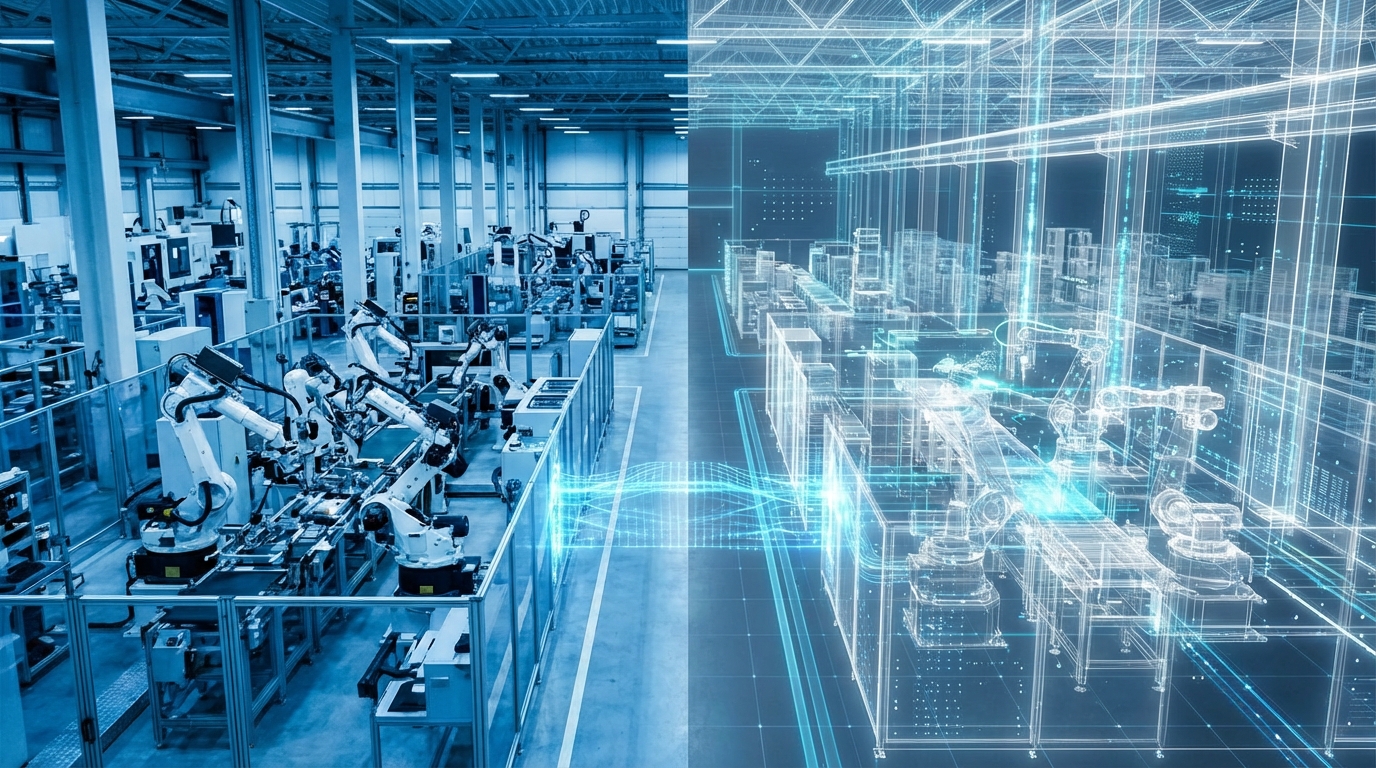
| Aspect | What Digital Twins Do | Why It Matters For You |
|---|---|---|
| Core Idea | Create a virtual copy of a real asset, process, or system | Test ideas, spot issues, and improve before spending real money |
| Main Benefit | Simulate operations with real data and scenarios | Lower risk, better decisions, fewer expensive mistakes |
| Who Uses It | Manufacturing, logistics, construction, energy, healthcare, cities | Any business with complex processes, high costs, or tight margins |
| Key Requirements | Good data, clear goals, tools, and cross‑functional team | You cannot just “install” it; you need a plan and owners |
| Risks | Bad data, over‑engineering, tech for tech’s sake | Wrong twin = false confidence = expensive decisions |
You spend real money every time you change a process, reconfigure a line, move a team, or build a site. Digital twins let you do a dry run first. That is the simple idea. Before you hire, buy, build, or rip out, you get a safe place to ask: “If we do this, what actually happens?” For business and for your own work life, that shift from guessing to simulating changes how you decide, how fast you move, and frankly, how much you sleep at night.
Digital twins are less about 3D graphics and more about serious “what if” thinking before you commit real money, time, and people.
What a Digital Twin Really Is (Without the Hype)
Most definitions online feel heavy. Let us keep it simple.
A digital twin is a living digital model of something in the real world that:
1. Represents how the thing is built or organized
2. Receives data from it (or from realistic assumptions)
3. Predicts how it will behave under different conditions
That “something” can be:
– A single machine
– A production line
– A warehouse
– A building
– A full business process
– Even how teams work together across functions
You are not just making a static 3D model. You are creating a model that reacts like the real thing.
If a spreadsheet is a budget, a digital twin is the flight simulator for your operations.
The Three Layers Of A Digital Twin
Think of a digital twin as three layers stacked together:
1. Structure: What exists
2. Behavior: How it acts
3. Feedback: How it changes with data
1. Structure: The “What” You Are Modeling
This is the base.
– Machines, sensors, conveyors, storage areas
– People, roles, teams, skills
– Process steps, workflows, decision rules
You map what actually exists, not what the slide deck says exists. There is often a gap there.
If you run a warehouse, structure might include:
– Dock doors, racks, aisles
– Forklifts and robots
– Staff per shift
– Order processing flow
If you run a services business, structure might include:
– Client intake steps
– Hand‑offs between sales, delivery, support
– Tools and systems used at each step
2. Behavior: The “How” It Acts Over Time
Now you give that structure some life.
– How long each step takes
– Failure rates, downtime, maintenance
– Routing logic: if X happens, send to Y
– Human behavior: queueing, waiting, workload
This is where your “operations reality” starts to appear. Machines fail. People have shift changes. Priorities bump other work in the queue.
3. Feedback: The “Live” Connection
You can run a digital twin in two modes:
– “What if” mode: Simulation based on assumptions and historical data
– “Live” mode: Connected to sensors, logs, and systems so the model updates in close to real time
Not every business needs live mode at first. For many, offline simulation is enough to avoid big mistakes.
You do not need a perfect digital twin. You just need one that is more honest than your current gut feeling.
Why Simulate Operations Before Building
Every change in your business is a bet.
New product line. New factory layout. New scheduling logic. New org chart. You are betting time, money, and sometimes your brand.
Digital twins help you change the odds.
1. Reduce Expensive Mistakes
Misjudged capacity, broken workflows, and wrong site layouts cost a lot.
Think about:
– Buying a new packaging machine that becomes a bottleneck
– Opening a new branch in the wrong place
– Reorganizing teams so that hand‑offs double and everyone waits
With a digital twin, you can test scenarios before you commit:
– “What if we run three shifts instead of two?”
– “What if we move picking closer to packing?”
– “What happens if we get 30 percent more demand in Q4?”
You will not hit 100 percent accuracy, but you can usually remove the worst mistakes.
2. Shorten Learning Cycles
In the physical world, every experiment is slow.
Change layout. Train staff. Run for a quarter. Then adjust. You lose months.
In a digital twin, you can run:
– A week of operations in a few minutes
– A promotion period five different ways
– Demand surges that rarely happen in real life
You speed up your learning cycle. That affects growth, because you can test ideas faster than competitors stuck in “wait and see” mode.
3. Clarify Tradeoffs Between Cost, Service, and Risk
Every business balances:
– Cost
– Service level
– Risk
If you raise stock, you improve service and raise cost. If you cut maintenance, you cut cost and raise risk.
Digital twins let you see:
– Where extra cost actually improves service
– Where you can cut cost without hurting service
– Where your risk is hidden
You stop arguing from opinion. You start arguing from shared experiments.
4. Support Better Conversations Between Business and Technical Teams
Operations, finance, tech, and HR usually speak different languages. That slows down progress.
A digital twin creates a shared “visual” model:
– The ops lead can say: “Here is where the queue builds.”
– The finance lead can ask: “What if we cut overtime by 10 percent here?”
– The tech lead can test: “If we automate this step, what happens upstream?”
You still have debates. But now you debate real scenarios, not vague assumptions.
The best digital twins are not tech projects. They are conversation tools for leaders who want fewer surprises.
The Main Types Of Digital Twins You Will See
People use the phrase “digital twin” for many things. It helps to split them into a few groups.
Product Twins
These model a single asset or product:
– An engine
– A vehicle
– A medical device
– A pump
They track:
– Performance
– Wear and tear
– Predictive maintenance
– Failure scenarios
This is common in heavy industry and high value products.
Process Twins
These model a sequence of steps:
– Order to cash
– Production workflow
– Client onboarding
– Claims processing
You use them to:
– Spot bottlenecks
– Test new rules and routing logic
– Change staffing patterns
For most service and knowledge businesses, this is the most practical starting point.
System Twins
These cover full systems:
– A plant
– A warehouse network
– A hospital
– An office building
They include:
– Physical layout
– Equipment
– People
– Flows of material, work, and information
This is where logistics, supply chains, or complex buildings sit.
Organizational or “Business” Twins
This one feels less obvious, but it is powerful.
You model:
– Teams
– Roles
– Workflows
– Decision rights
– Hand‑offs
Then you can ask:
– “What if we move this function under a different leader?”
– “What if we reduce approvals from three levels to one?”
– “What if we split this team into two specialized groups?”
You simulate impact on:
– Lead times
– Load per person
– Quality of outcomes
It is not perfect, of course. People are not machines. But even a simple model can reveal where your current structure creates drag.
What You Need Before You Build A Digital Twin
A digital twin is not a magic button inside a platform. It is a project with a clear purpose.
1. A Sharp Problem Statement
This is where many teams fail. They start with tools, not questions.
You need a very specific question like:
– “How can we increase throughput on line 3 by 15 percent without new capex?”
– “How do we cut average lead time from 10 days to 6 days?”
– “How do we support 30 percent more clients with the same team size?”
If you cannot write that on one line, you are not ready.
A bad question with a great digital twin still gives you a bad answer.
2. Data That Tells The Truth
You do not need perfect data. You do need honest data.
At minimum:
– Volumes: orders, jobs, tickets, shipments
– Times: cycle times, wait times, setup times
– Failure rates: breakdowns, errors, rework
– Resource data: staff per shift, machine capacity
If you do not have this, you can start with estimates from your best operators, then refine with measurement over time. The key is to treat the first version as a draft, not a final model.
3. People Who Own The Model
A digital twin needs:
– A business owner (profit and loss or operations)
– A process or systems analyst
– A data / tech partner
In a small company, one person might wear two hats. In larger organizations, you will have a small squad.
If IT “owns” the twin without a business owner, it will turn into a tech demo. If business owns it without tech support, it will stall on data and tools. You need both.
4. The Right Level Of Detail
This is where people often overdo it.
You do not need:
– Every screwdriver
– Every minor workflow variation
– Every tiny exception
Ask:
– “What are the 20 percent of steps that drive 80 percent of volume and risk?”
Model those first. You can always refine.
The question is not “Can we model this?” but “Do we really need this level of detail to make a better decision?”
How Digital Twins Actually Work Beneath The Surface
Let us keep this non‑academic and practical.
Key Ingredients Under The Hood
You will see these concepts:
– Simulation engine: Runs events over time, like arrivals, processing, failures
– Rules: Logic for routing, priorities, constraints
– Data inputs: Historical logs, sensor feeds, manual inputs
– Outputs: Charts, heatmaps, queues, bottleneck reports
Many tools hide the complexity behind visual interfaces, but the idea is the same:
You press “run”, the system simulates your operations for a period, you look at what happened, and you change your design.
Common Technologies You Might Touch
Depending on scale, you might use:
– Industrial design and simulation tools for factories
– Discrete event simulation tools for queues and flows
– 3D building tools and IoT platforms for buildings and cities
– Business process modeling tools for office and digital work
For you, the exact product names matter less than the questions you want answered.
Real‑World Style Use Cases Across Business
Let us walk through some concrete stories. These are patterns you can adapt.
1. Manufacturing: Reconfiguring A Production Line
You run a mid‑size plant. Demand is growing. You think:
– “If we add one more machine here, we will increase output by 25 percent.”
You build a digital twin of:
– Current line layout
– Machines and their cycle times
– Setup changeovers
– Break times and shifts
You simulate:
– Current state
– State with one more machine
– State with crews reallocated
– State with reduced changeover time from better SMED practices
You discover:
– The extra machine does not raise throughput. A downstream packaging step becomes the bottleneck.
– A small change in changeover times gives almost the same gain as a new machine, at a fraction of the cost.
You save capex, and you know exactly where to focus improvement work.
2. Logistics: Designing A New Warehouse
You are planning a new warehouse. The layout will lock you in for years.
You create a digital twin that covers:
– Rack layout and aisles
– Picking zones
– Dock doors and staging areas
– Forklift and picker routes
You test:
– Different picking methods
– Different slotting strategies
– Narrower vs wider aisles
– Single large picking zone vs multiple smaller ones
You watch:
– Travel time per order
– Queue lengths at packing
– Dock congestion
The twin shows that one layout looks fine on paper, but creates regular traffic jams near the dock every Monday morning.
You choose a layout that balances travel distance and congestion. Not perfect, but much better than a guess.
3. Service Business: Changing Client Onboarding
You run a consulting or agency business. Client onboarding feels slow. You are not sure why.
You map:
– Sales hand‑off
– Contracting
– Briefing
– Setup of tools
– First delivery
You build a process twin with:
– Average times from task to task
– Rework rates when briefs are unclear
– Approval steps
You test:
– Removing one approval layer
– Adding a standard template for briefs
– Assigning a single owner per client for first 30 days
The simulation suggests:
– Four approvals in legal add small risk reduction but heavy time
– A better brief reduces rework and cuts total time more than any other change
You focus on templates and roles, not more software. Clients feel the speed. Your team feels less friction.
4. Retail: Staff Scheduling And Store Layout
You run several stores. You want higher conversion without hiring a lot more staff.
Digital twin here covers:
– Store layout
– Customer arrival patterns
– Staff per zone per time block
– Typical service time per customer
You simulate:
– Different staffing patterns
– Different layout designs with changed paths
– Promotion days with heavy footfall
You see:
– Where queues form at peak times
– When staff stand idle off‑peak
– How moving certain products reduces or increases walk time
You then adjust staff schedule and layout. Revenue per staff hour rises. Staff stress level also drops, because you reduce those “always crazy” windows.
5. Personal Work: A “Digital Twin” Of Your Week
This is less technical but very relevant for your own growth.
You can create a simple twin of:
– Your calendar
– Types of work you do
– Energy patterns over the day
Then you simulate:
– Blocking deep work in the mornings
– Grouping meetings into 2 days
– Setting fixed windows for email
– Moving certain tasks from you to others
You do not need software for this. A spreadsheet or whiteboard works. The principle is the same: simulate your week, not just react to it.
Digital twins are not only for factories. They are for anyone who wants to test a new way of working before it hurts their real schedule.
How To Start A Digital Twin Project Without Getting Lost
If you want to try this in your business, you might feel pulled into big vendor pitches and long roadmaps. You do not need to start that way.
Step 1: Pick One High‑Value Process
Look for:
– High spend or high revenue impact
– Frequent problems or complaints
– Clear, measurable outcomes
Possible examples:
– Order fulfillment
– Customer onboarding
– Production scheduling
– Support ticket handling
Commit to that one area first. Resist the urge to “model the whole company”.
Step 2: Map Reality With Your Frontline People
Take a room. Bring in:
– People who actually do the work
– People who run reports or systems
– A leader who cares about results
Draw the process:
– Step by step
– Hand‑offs
– Rework loops
– Wait states
Ask:
– “Where do you wait?”
– “Where do things get sent back?”
– “Where are you guessing?”
Treat this as your draft structure for the twin.
Step 3: Collect a Small, Honest Data Set
You do not need months of data to start.
Pick:
– 2 to 4 weeks of logs
– A sample of, say, 200 to 1000 cases, depending on volume
Collect:
– Arrival times
– Service times per step
– Queue lengths
– Error rates
If you cannot get it from systems, run a short manual measurement week. Yes, that is extra work. The clarity pays off.
Step 4: Choose a Tool Matching Your Team’s Skills
Different levels:
– Simple: Spreadsheets plus basic simulation plugins or tools
– Moderate: Business process simulation tools with visual flows
– Complex: Specialized industrial or logistics simulators
Ask:
– “Who will maintain this?”
– “How often will we run scenarios?”
If the answer is “monthly by one analyst”, pick something light that does not require a full-time modeler.
Step 5: Build a Minimum Viable Twin
Start with:
– The main flow steps only
– Average times for each step
– Current capacity numbers
Run:
– “As is” scenario
– Single proposed improvement
Compare results with your real metrics. Adjust the model until it roughly matches reality. Not exact, but close enough.
Then test more ideas.
Step 6: Link Insight To Real Decisions
A digital twin is only as useful as the decisions it drives.
Before you run big simulations, agree:
– Budget range you are willing to move
– Time frame you care about
– Metrics you will watch after change
Then, when the twin suggests a better design, you actually implement it. Then you compare real results with the simulated ones. This feedback improves your model over time.
Your digital twin gets smarter only when you loop results from the real world back into it.
Common Mistakes And How To Avoid Them
Digital twins can help a lot. They can also waste time if handled poorly.
1. Chasing Visuals Instead Of Insight
A beautiful 3D model is nice to show in meetings. The question is:
– “Does this help us make a better decision?”
If your team spends more time discussing colors and angles than throughput, you are off track.
Focus on:
– Flows
– Bottlenecks
– Queues
– Resource use
Keep visual detail only to the level that supports those discussions.
2. Overbuilding The First Version
Teams often want to include everything:
– Rare edge cases
– Low volume paths
– Every event type
That makes models heavy and fragile.
Start small. You can always:
– Add detail in high impact areas
– Ignore low impact paths until later
Treat your first twin like a beta version.
3. Ignoring Human Behavior
Some models assume:
– Perfect compliance with process
– Perfect attention
– No learning curves
Reality is different. People skip steps, adapt, improvise.
You can model this with:
– Variation in task times
– Probability of rework
– Different behaviors per shift or team
You will not capture everything, but you get closer to how your operations actually feel.
4. Forgetting To Kill Old Assumptions
Digital twins age. Processes change. Data changes.
If you treat the model as a fixed truth, you risk:
– Making decisions on outdated flows
– Missing new bottlenecks
Set a simple rhythm:
– Review core assumptions at least quarterly
– Update cycle times with fresh samples
– Retire steps that no longer exist
5. Treating It As A One‑Off Project
Many companies build one digital twin, run one big analysis, and then stop.
The real value comes when:
– You reuse the model for every new idea in that process
– You use it to test promotions, schedule changes, layout tweaks
Make it part of your regular planning. Over time, your team starts to think in “simulations” as a natural step before change.
Digital Twins And Your Personal Growth As A Leader
This is a business tool, but it can change how you lead.
From Opinions To Experiments
When you have a digital twin, you can say:
– “Let us run both options in the model and see which is better under different demand levels.”
It becomes normal to test:
– Conservative and aggressive scenarios
– Short term and long term outcomes
You build a culture where people propose experiments, not just opinions.
Better Risk Conversations
You can show:
– Worst case scenarios
– Best case scenarios
– Likely ranges
This helps with:
– Board discussions
– Investor updates
– Team communication
You reduce vague fear. You replace it with concrete ranges and contingency plans.
Coaching Yourself To Think In Systems
Digital twins push you to think in:
– Flows
– Feedback loops
– Interactions between parts
This helps far beyond the model:
– You spot where “fixes” in one area hurt another
– You ask better questions when someone proposes change
Over time, you become the person in the room who sees second and third order effects. That is a career skill, not just a project skill.
Where Digital Twins Are Heading Next
It might help to have a sense of direction, just so you do not overcommit to old thinking.
More Data, More Automation, Same Principles
Trends you will see:
– Cheaper sensors feeding more live data
– AI helping find patterns in simulation results
– Easier tools that non‑experts can use
Yet the core does not change:
– Clear questions
– Honest data
– Repeatable experiments
If you keep those simple anchors, you will not get lost in buzzwords.
Mixing Digital Twins With Real‑World Experiments
The best teams:
– Use digital twins to narrow options
– Then run small controlled trials in the real world
– Then feed results back into the twin
You avoid big‑bang changes. You move in measured steps.
For your growth, this creates a rhythm:
– Imagine
– Model
– Test small
– Scale
You do not need to bet the company on every change. You can build confidence step by step.
Applying The Twin Mindset Even If You Do Not Have The Tech Yet
Maybe you are not ready for a formal digital twin platform. You can still borrow the mindset.
Ask “What If” Before “We Will”
Before you say:
– “We will open a new branch”
– “We will change the org chart”
– “We will invest in new machines”
Pause and ask:
– “What if we are wrong? Where will it hurt most?”
– “How can we run a low‑cost simulation or pilot first?”
You can sketch it, spreadsheet it, or whiteboard it. The discipline is what matters.
Make Rough Models, Then Refine
You do not need perfection to gain value.
– Start with napkin math
– Then move to simple spreadsheets
– Then, when the stakes justify it, move to formal digital twins
Along the way, you train your team to think this way. So when you do bring in full tools, they fit into habits you already have.
The biggest gain from digital twins is not visual. It is a new habit: simulate before you spend.